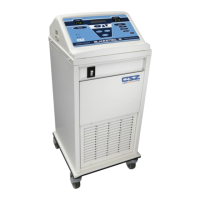
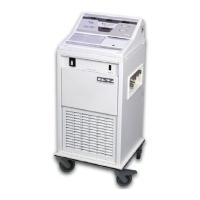
OPERATION MICRO-TEMP
®
LT, Model 749
OPERATION AND TECHNICAL MANUAL
Page 22 of 75
A. Make sure that the power switch is in the "I" (ON) position.
1. The digital temperature display indicates that the unit is on.
a. Upon initial power-up, the unit flashes the 42°C default set point
four times, and then flashes the actual water temperature two times
before constantly displaying the water temperature.
2. The pump activates and begins circulating water.
B. Press and hold the “SET” button.
1. The display shows 42°C
C. Release “SET” button.
1. The display reverts back to displaying the actual water temperature.
D. Press the “°F” button (100V and 115V only).
1. The water temperature displayed changes from Celsius to Fahrenheit.
E. Press the “˚C” button (100V and 115V only)
1. The water temperature displayed changes from Fahrenheit to Celsius.
NOTE: If at any time the water falls below a preset limit, the low water sensor is activated
and the Low Water LED illuminates. The unit shuts down and the operator cannot proceed
until this is corrected.
If any of the above are not observed, consult the Troubleshooting Guide in Section 5-12. If they are
observed, continue with the test routine.
Leaky pads or hoses should never be used. Water leaks present a risk of infection to
the patient and should be handled accordingly
F. Check the pad for leaks. If a leak is found, the pad cannot be used. The disposal for
reusable pads is described in Section (4-4).
G. Check the couplings at the end of the hose and pad for positive connection.
NOTE: Set point may be displayed in Fahrenheit if the operator is in Fahrenheit mode (100V
and 115V only). Otherwise the set point is displayed in Celsius.
H. While depressing the “SET” button, press the Down arrow next to the “SET” button.
1. The set point display temperature changes and the numbers move down the
scale. The longer the button is pressed the faster the digits change. When



 To Next Page