EasyManua.ls Logo

CSZ MICRO-TEMP LT 749 - User Manual

Default Icon
78 pages
Print Icon
To Next Page IconTo Next Page
Loading...
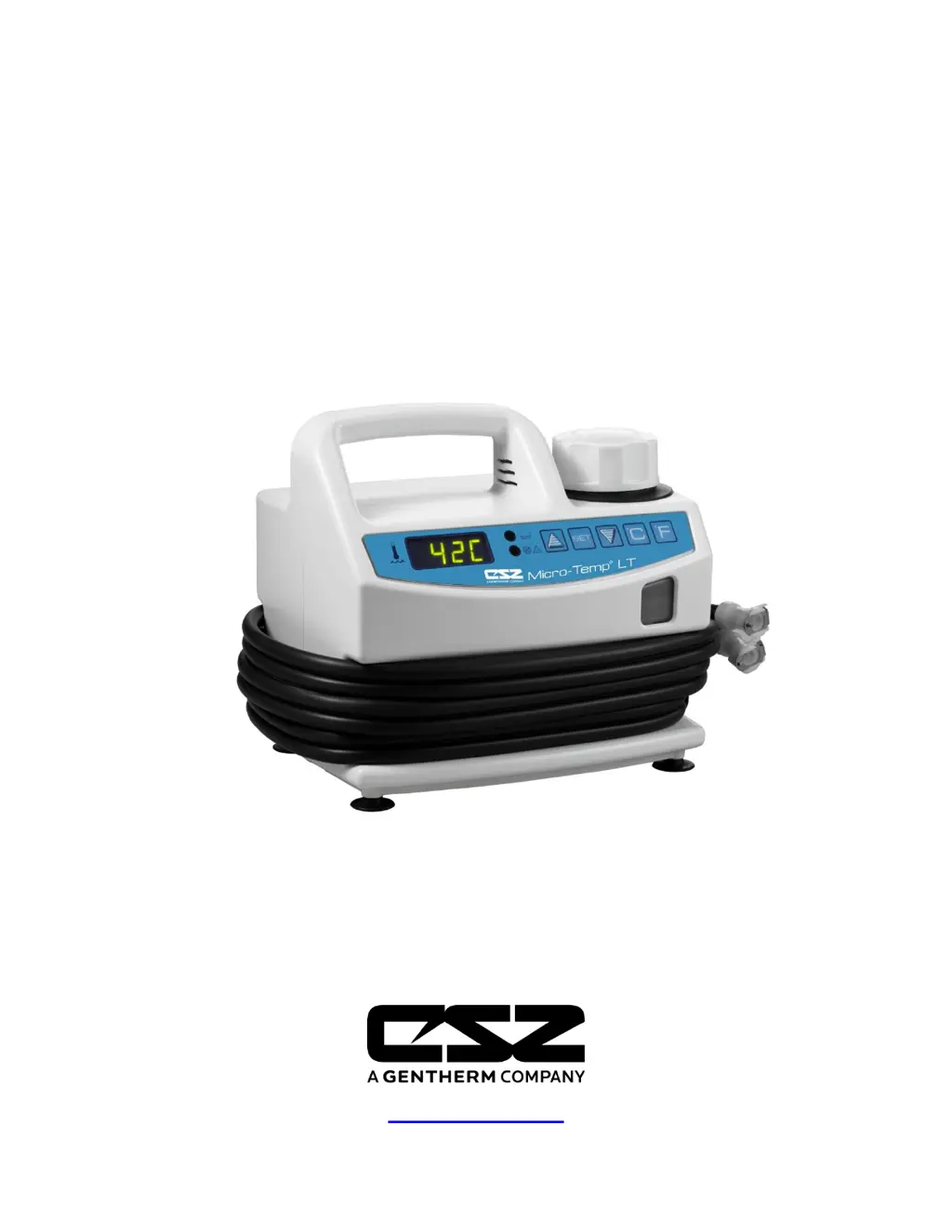
MICRO-TEMP LT
Operation and Technical Manual
Model 749 Localized Therapy Units
Cincinnati Sub-Zero Products, LLC. 12011 Mosteller Road Cincinnati, Ohio 45241, U.S.A.
www.cszmedical.com

Table of Contents

Questions and Answers

  • D
    Deborah GomezSep 23, 2025
    Why will CSZ Medical Equipment unit heat but pump will not run?
    • B
      Brittany PowellSep 23, 2025
      If your CSZ Medical Equipment unit heats but the pump doesn't run, it could be due to a defective pump, which needs replacing. Also, check for and correct any improper connections to the control board.
  • J
    Jennifer WallaceAug 25, 2025
    Why is the Low Water Caution light on my CSZ MICRO-TEMP LT 749?
    • K
      Kristin GarciaAug 25, 2025
      If the 'Low Water Caution' light is illuminated on your CSZ Medical Equipment, it indicates a problem with the water level. First, ensure the reservoir has enough water; if the water level is too low, add more water. Check the water level sensor wire connection to the control board, ensuring it's properly connected to the J3 position. If the issue persists, the water level sensor may be defective and require replacement. Also, a lack of conductivity in the reservoir can cause this issue; add two (2) ounces of Propylene Glycol as instructed in Section 4-2.2 to improve conductivity.
  • T
    Thomas FieldsAug 25, 2025
    What to do if CSZ MICRO-TEMP LT 749 turns on but will not pump?
    • M
      michaelwilsonAug 26, 2025
      If your CSZ Medical Equipment turns on but the pump isn't working, the issue might be due to low water in the reservoir. Try adding more water to the reservoir. Another possibility is that the unit is tilted, which can prevent the pump from functioning correctly. Make sure to place the unit on a level surface.
  • T
    Tina MannAug 27, 2025
    Why is my CSZ MICRO-TEMP LT 749 Medical Equipment making audible indicator sounds?
    • K
      Keith RyanAug 27, 2025
      Several issues can trigger audible indicators on your CSZ Medical Equipment. If the temperature readout is 111°F / 44°C or higher, the unit has reached a high limit; turn it off and allow it to cool. A power failure can also cause this, so restore power to the unit. Ensure the unit is on a level surface, as tilting can trigger the alarm. Check pad connections and allow water temperature to decrease if the temperature is more than 1°C over the set point. If a water level sensor fault is indicated, turn the unit OFF and make repairs based on the display message. If the water temperature sensor, membrane keypad, or microprocessor is defective, service is required.
  • A
    Amanda SmithAug 27, 2025
    Why does the pump run but my CSZ Medical Equipment will not heat?
    • V
      Vincent RobinsonAug 27, 2025
      If the pump in your CSZ Medical Equipment is running but the unit isn't heating, the heater might be defective and require replacement. Also, if the temperature is more than 1°C over the set point, check the pad connections and wait a few minutes for the water temperature to decrease. Finally, improper connections to the control board can cause this issue; make sure the connections are correct.
  • M
    montgomeryarthurSep 13, 2025
    What to do if CSZ MICRO-TEMP LT 749 Medical Equipment unit turns on but will not pump?
    • D
      david98Sep 13, 2025
      If the CSZ Medical Equipment unit turns on but won't pump, it could be due to low water. Add more water to the reservoir. Another possible cause is that the unit is tilted; place it on a level surface.
  • M
    Michael JacksonSep 12, 2025
    What to do if CSZ Medical Equipment pump runs but unit will not heat?
    • M
      Monica PadillaSep 12, 2025
      If the pump in your CSZ Medical Equipment is running but the unit isn't heating, it could be due to a defective heater, which would need to be replaced. Check the pad connections if the temperature is more than 1°C over the set point, and wait a few minutes for the water temperature to decrease. Also, verify and correct any improper connections to the control board.
  • C
    Christopher SmithSep 12, 2025
    What to do if the red “Warning” light is on for CSZ MICRO-TEMP LT 749 Medical Equipment?
    • R
      Ruth WashingtonSep 12, 2025
      If the red “Warning” light is on for your CSZ Medical Equipment, it could indicate that the water is too hot. Check the pad connections. Ensure the unit is placed on a level surface. If the temperature is more than 1°C over the set point, wait a few minutes for the water temperature to decrease.
  • M
    Mario KennedySep 4, 2025
    How to resolve a water level sensor fault in CSZ Medical Equipment?
    • R
      Ryan WellsSep 4, 2025
      To address a water level sensor fault in your CSZ Medical Equipment, turn off the unit. The water level sensor may need replacement or repair.
  • J
    jacobcrawfordSep 2, 2025
    What to do if my CSZ MICRO-TEMP LT 749 shows a high temperature?
    • C
      Chelsea WilliamsSep 2, 2025
      If your CSZ Medical Equipment is showing a high temperature, check the pad connections. You can also wait a few minutes for the water temperature to decrease, or turn off the unit and allow the water to cool down.

Summary

Safety Warnings

General Warnings

Lists critical warnings regarding patient safety, equipment misuse, and potential hazards.

Operational Cautions

Cautions for Safe Operation

Provides cautions for proper unit setup, usage, and maintenance to prevent damage.

System Introduction

General Safety Precautions

General safety precautions for using the localized heat therapy system.

Temperature Safety Controls

Temperature Safety Control System

Explains the safety features designed to monitor and control water temperature.

System Preparation

First Time Set-Up;System Test Routine

Outlines steps for initial setup and performing a system test.

Setup Details

Completing System Test Routine

Describes the steps to complete a system test routine for the unit.

Unit and Patient Precautions

Unit and Patient Related Precautions

Lists precautions related to the unit's operation and patient care.

Operating the System

System Operation

Operating the System

Provides step-by-step instructions for operating the system.

General Maintenance

Maintenance Requirements

Outlines general maintenance requirements for regular system operation.

High Limit and Low Water Checks

High Limit Safety Check

Explains how to perform a check on the high limit safety feature.

Field Repair and Service Introduction

Accessing Internal Components

Access to the Interior

Explains how to safely access the internal parts of the unit.

Enclosure Separation and Reconnection

Separating Front and Rear Enclosures

Provides steps for separating the front and rear enclosures of the unit.

Reconnecting Front and Rear Enclosures

Details the procedure for reconnecting the unit's front and rear enclosures.

Cable Disconnection Procedures

Disconnecting Cables from Control Board

Explains how to disconnect cables from the control board.

Disconnecting Cables from Display Board

Details how to disconnect cables from the display board.

Heater Replacement

Replacement of the Heater

Provides instructions for replacing the unit's heater.

Pump Replacement

Reservoir Replacement

Tubing and Sensor Replacement

Power Switch and Fuse Replacement

Board and Panel Replacement

Replacement of Control;Display Board

Instructions for replacing the control board and display board.

Replacement of Membrane Panel

Instructions for replacing the membrane control panel.

Troubleshooting Guide

Troubleshooting Guide

Provides a guide to diagnose and resolve common unit issues.

System Specifications

CSZ MICRO-TEMP LT 749 Specifications

General IconGeneral
Temperature Stability±0.1°C
Heating Capacity1000 Watts
Communication InterfaceRS-232
Accuracy±0.2°C
Resolution0.1°C
Pump Flow Rate10 liters per minute
Controller TypeMicroprocessor-based
DisplayLCD
Power Supply120V/60Hz or 230V/50Hz
Probe TypeRTD

Related product manuals