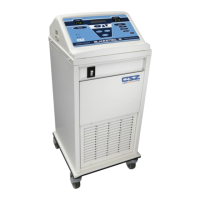
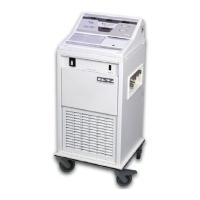
FIELD REPAIR/SERVICE MICRO-TEMP
®
LT, Model 749
OPERATION AND TECHNICAL MANUAL
Page 40 of 75
A. Twist off reservoir cap.
B. Turn unit upside down and pour water into sanitary drain until the water level is to the
bottom of the sight window.
C. Turn unit ON.
D. Verify “Low Water” indicator illuminates and the pump shuts off.
E. With unit still on, refill reservoir as described in Section (4-2.2) to ensure indicator
condition cancels and unit returns to previous operation when sufficient water level
obtained.
F. Turn the unit power switch to “O” (OFF).
4.12 POWER FAILURE INDICATOR CHECK
A. Turn unit ON.
B. After unit has been running for approximately 2 minutes (in order to charge the
capacitor), disconnect the power cord from the power source.
C. Verify the power failure indicator sounds and the red “Power Failure/Caution” LED
illuminates within 20 seconds of the unit being unplugged.
D. Turn unit off.
E. If the indicator continues to occur, turn the power switch off and unplug the unit if it is
not already unplugged. Then, plug the unit into the power source and turn the
power switch “ON”. If the Power Failure/Caution LED flashes and the audible
indicator continues to sound, remove the unit from service and send to Biomedical
Engineering for repair.
The repair, calibration, and servicing of the MICRO-TEMP
®
LT should be performed by
qualified Medical Equipment Service Technicians, Certified Biomedical Electronics
Technicians, or Certified Clinical Engineers familiar with good repair practices for servicing
medical devices, and in accordance with instructions contained in this manual. Improper
repair can result in damage to the system and patient injury.
Always unplug the unit before accessing internal components during service. Failure to
unplug the unit could result in electric shock.



 To Next Page