9
OPERATING
INSTRUCTIONS
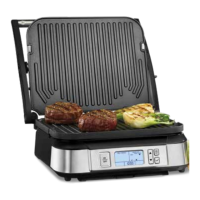
When you are ready to begin cooking and the
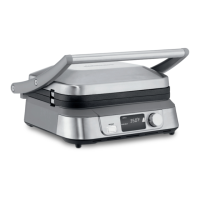
Griddler®Five is positioned on a flat surface,
make sure the drip tray and desired plate
surfaces are installed. Plug your Griddler
®
Five
into an electrical outlet and press the ON/OFF
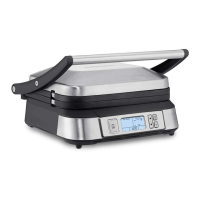
button. The LCD will show the start-up screen
for several seconds.
Select Cooking Function:
When the word GRILL is flashing, this indicates
you need to select and confirm your cooking
function. To do so, rotate the Select & Confirm
dial to the left or right to choose your function:
Grill or Griddle. To confirm your cooking
function, press the Select & Confirm dial. The
selected cooking function is now confirmed and
no longer flashing.
Set Temperature:
To select the desired temperature, rotate the
Select & Confirm dial to the left (decrease
temperature) or the right (increase temperature).
This will allow you to scroll through temperatures
at 25-degree increments. To confirm your
temperature, press the Select & Confirm dial.
The selected temperature is no longer flashing.
The Griddler
®
Five has preset temperatures for
GRILL mode and GRIDDLE mode. The preset
for GRILL is 400˚F and the preset for GRIDDLE
is 350˚F. When temperature becomes solid, your
Griddler
®
Five will begin to preheat, and the
word Preheat and the Preheat Bars will appear
in your LCD.
The Preheat Bars show the progress of the
preheating cycle. When 5 bars are illuminated,
your Griddler
®
Five will beep one time, indicating
it has reached the set temperature. The word
Preheat and the Preheat Bars will disappear
from the LCD.
NOTE: If you have completed the cooking cycle
and would like to continue cooking on a lower
temperature, follow the above steps to set your
temperature. The Preheat Bars will scroll from
the bottom to top, indicating the Griddler
®
Five is
cooling to a lower selected temperature.
Set Timer:
After your Griddler
®
Five has reached the set
temperature, the timer will appear in the LCD
flashing 00:00.
• Countdown Timer – To select your cook time
to count down, rotate the Select & Confirm dial
to the left (decrease time) or right (increase
time). NOTE: Timer adjusts in 30-second
increments (59:30 max cooking time). Add
food to the Griddler
®
Five, then press the
Select & Confirm dial to start the timer. If timer
is not selected within 1 minute after preheat,
the time of 00:00 goes blank. The timer can be
activated at any time during the cooking
process by adjusting the Select & Confirm dial.
After set time has elapsed, the Griddler
®
Five
will beep 3 times and the timer will begin
counting up – this indicates how much time
has elapsed after the cooking time has
expired. Unit will also beep 3 times every 10
seconds continuously until cooking is stopped.
To disable beep, press Select & Confirm dial.
• Count-Up Timer – After the Griddler
®
Five is
preheated, you will see 00:00 flashing in the
LCD. Add food to the Griddler
®
Five and press
the Select & Confirm dial. Timer will begin
counting up from 00:00 (59:59 max cooking
time). If the timer reaches 59:59, the unit will
beep 3 times and then turn off.
Changing Settings:
To change any of your settings (Cooking
Function, Temperature and Time) at any time
during use, press and hold the Select & Confirm
dial to scroll through Time, Temperature and
Function continuously, until the Select & Confirm
dial is released. When dial is released, the
setting you wish to change should be flashing.
After desired setting is changed and confirmed,
the display will move to the next function.



 To Next Page