Chapter 3: Networking
• Redundant Main Controller using internally wireless Ethernet (WLAN)
WiFi Network Design
Having a strong WiFi signal throughout the barn is essential for a good working system. The WiFi signal
has maximum coverage when a router or an access point is in a non-obstructed line of sight. Wooden
walls and ceilings lower the WiFi signal strength. Metal support beams or girders will create low signal
WiFi areas and metal or aluminum covered walls will block the WiFi signal.
A router or an access point has a typical coverage of 10,000 sqft. when not obstructed, this is a square of
100' by 100'. The signal is still there at 110', but it's no longer optimum and its strength cannot be pre-
dicted. If shaded by a beam, this distance can be considerably less.
The router or the access point emits a signal horizontally in a circle manner. It should be mounted in the
center of the desired coverage area. Remembering that the coverage area is a circle around the router or
the access point, wall mounting is not recommended. When mounting the router or the access point on a
wall, it should be oriented properly and mounted as high as possible.
Planning the location and quantity of routers or access points should be done with the plans of the barn.
Place a router or an access point on the ceiling for each 100' x 100' square and locate the EDGE 2 Con-
troller with direct view of the access points. For a barn that is 230' by 100' and has few wooden or metal
obstacles, use 2 access points. If the WiFi signal must go through wooden walls, it is better to use 3
access points. As metal walls essentially block the WiFi signal, there must be one access point per metal
room. These are guidelines and experimentation may be required to create a WiFi network that delivers a
strong signal to each component.
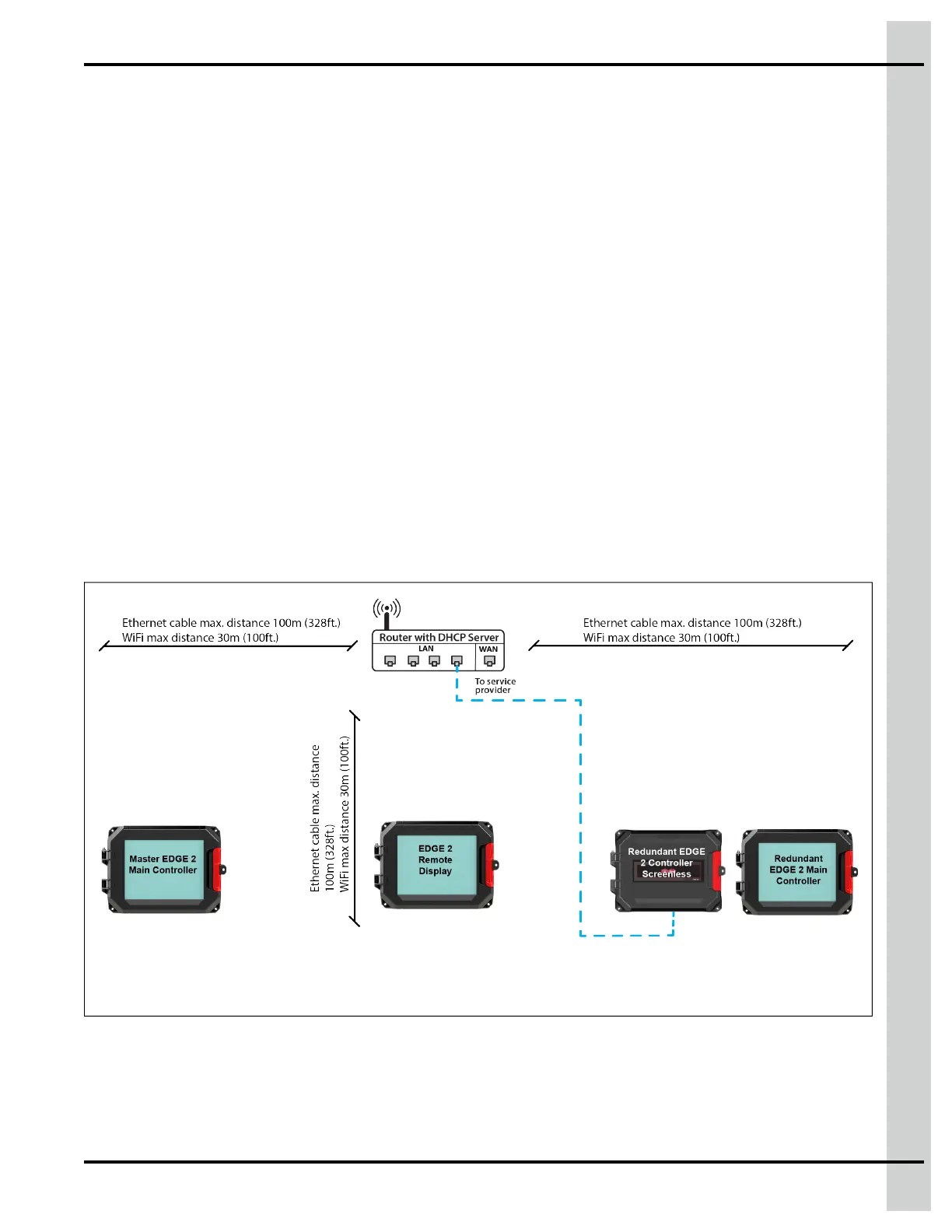
Figure 3-2 Typical Wireless EDGE Network (WiFi)
NOTE: EDGE 2 Screenless must be connected directly using cable no matter what technology is
used for the network.
890–00687 EDGE 2
45



 To Next Page