Chapter 7: Getting started
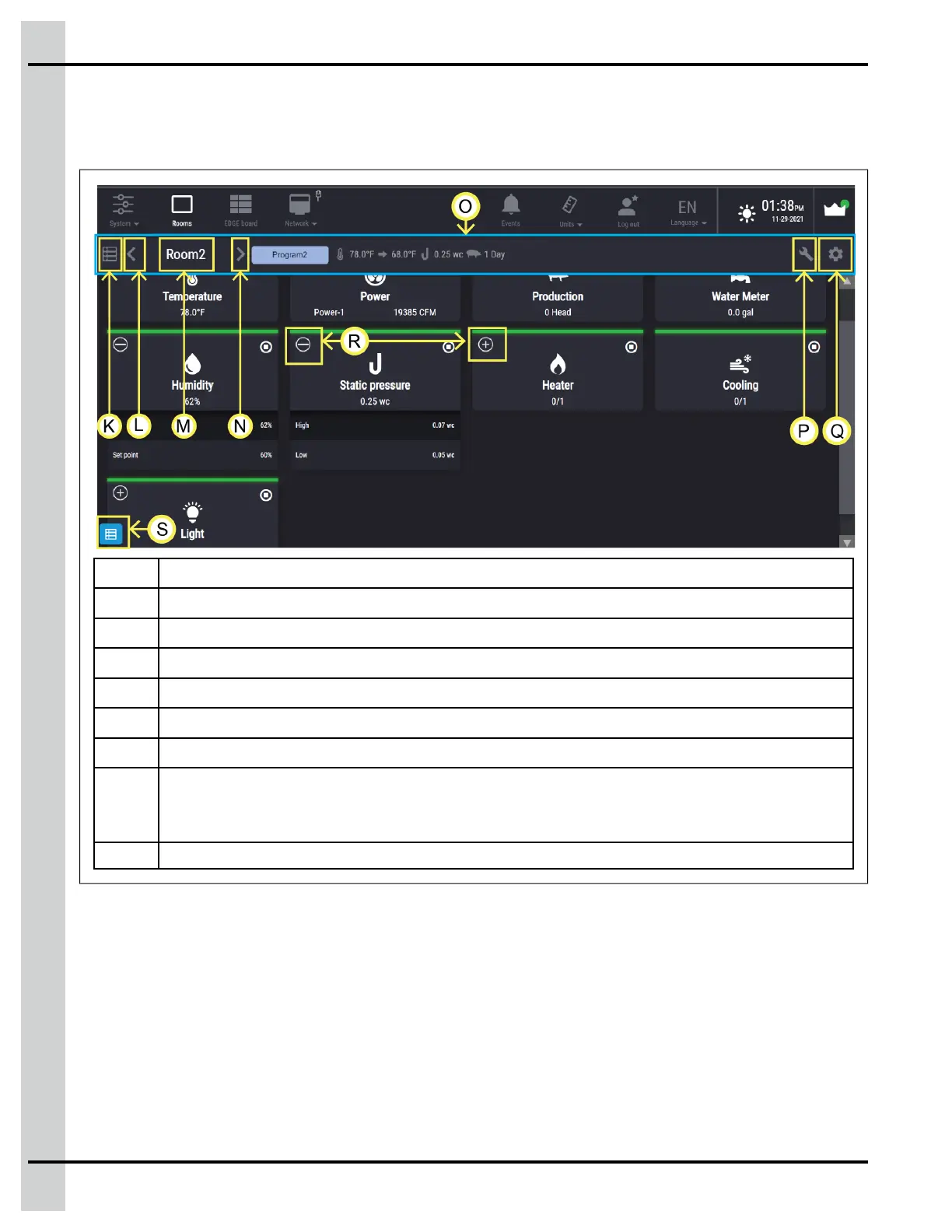
Room Screen Navigation Overview
You have to be in a room to add or set up equipment and see room operations.
Figure 7-3 Room Screen Navigation
K
Opens the change room selection screen
L Displays the previous room (not shown when only one room is configured)
M
Name of the room the user is actually looking at
N Displays the next room (not shown when only one room is configured)
O
Room summary
P Open the equipment configuration room
Q Open the room setup to assign the equipment to the room
R
+ : Hidden parameters available
- : unhidden parameters available
S Access to test menu
90
890–00687 EDGE 2



 To Next Page