Part No. 4801-5338 Rev 2-2015 Evolution 4000 8 of 86
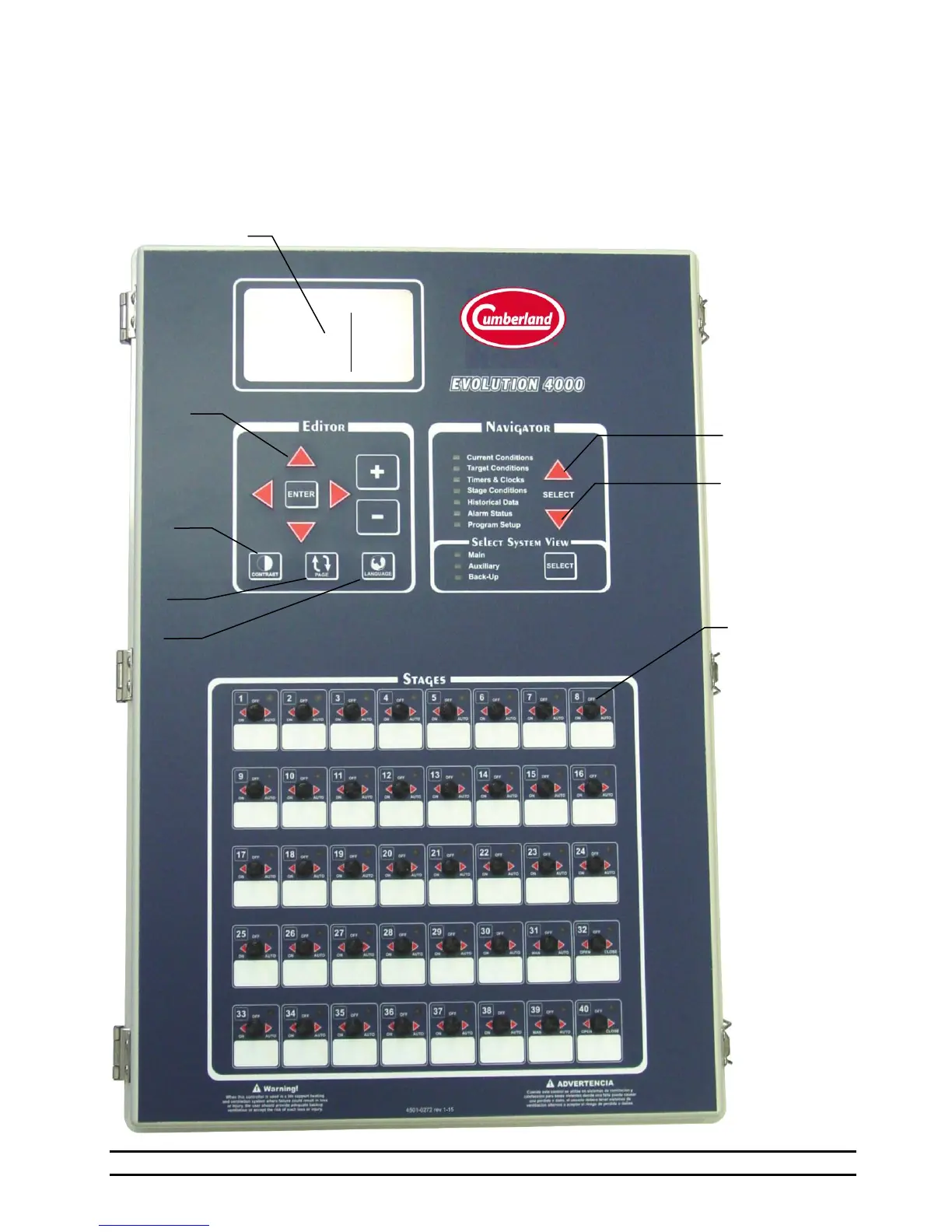
EVOLUTION 4000 FRONT PANEL
Stage switches
(ON, OFF,
AUTO)
'Stage On'
Indicators
White spaces
are for stickers
to identify stage
operations
Ventilation Mode: Minimum
5. Evolution Front Panel
The Evolution 4000 Controller cover is divided into two main areas. The main control user interface is
located on the top-half of the panel and contains the Main Display, Editor and Navigator user interface
controls. The Stage Switches are located on the bottom-half of the front panel. The Navigator is used to
select the information to be displayed in the Main Display. Once the desired information is selected in the
Navigator, the Editor is used to scan and modify the data, adjust the display contrast, page-scroll through the
displayed information screens, or toggle the displayed information between English and Spanish languages.



 To Next Page