Part No. 4801-5338 Rev 2-2015 Evolution 4000 49 of 86
7.16 SD Card Operations
7.16.1 Save/Load Programs
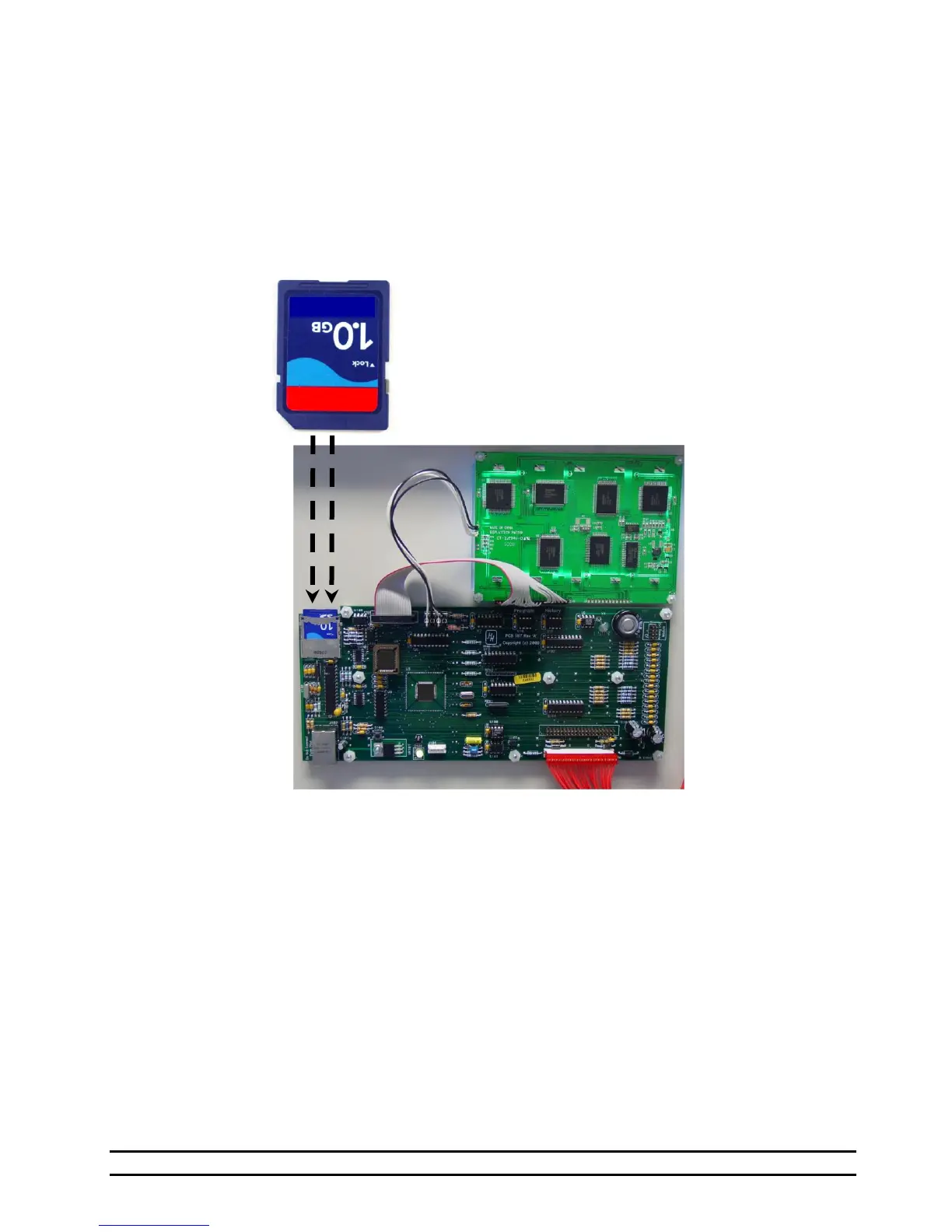
Saving one controllers program settings and downloading those settings to another controller is easily
achievable using a SD memory card. Insert the SD card into the PCB197 Control Board and refer to the Load
and Save instruction screens for step-by-step details. Notice that specific settings as shown will not be copied
and must be reverified. All remaining settings are loaded from the SD Card but must be reviewed to ensure
that the settings are correct for your current setup and livestock age. This Save/Load feature is available on
software version 0.12 and later.
NOTE: With the added ability to manage multiple saved programs on SD Cards in Version 0.18, programs
saved on controls with previous software revisions can no longer be loaded. In order to use
programs from controls with older software revisions, you must first update the controller software to
Version 0.18 or higher and then resave the program to your SD Card.
NOTE: Specific characters are no longer possible to select or use in program file names. If any of these
excluded characters were already used in program file names for a controller being updated, the
excluded characters must be changed.
Excluded Characters:
All Lower-Case letters
„ „ (space)
„*‟ „.‟ „:‟ „?‟ „\‟
„/‟ „”‟ „<‟ „>‟ „|‟
„{„ „}‟ „~‟



 To Next Page