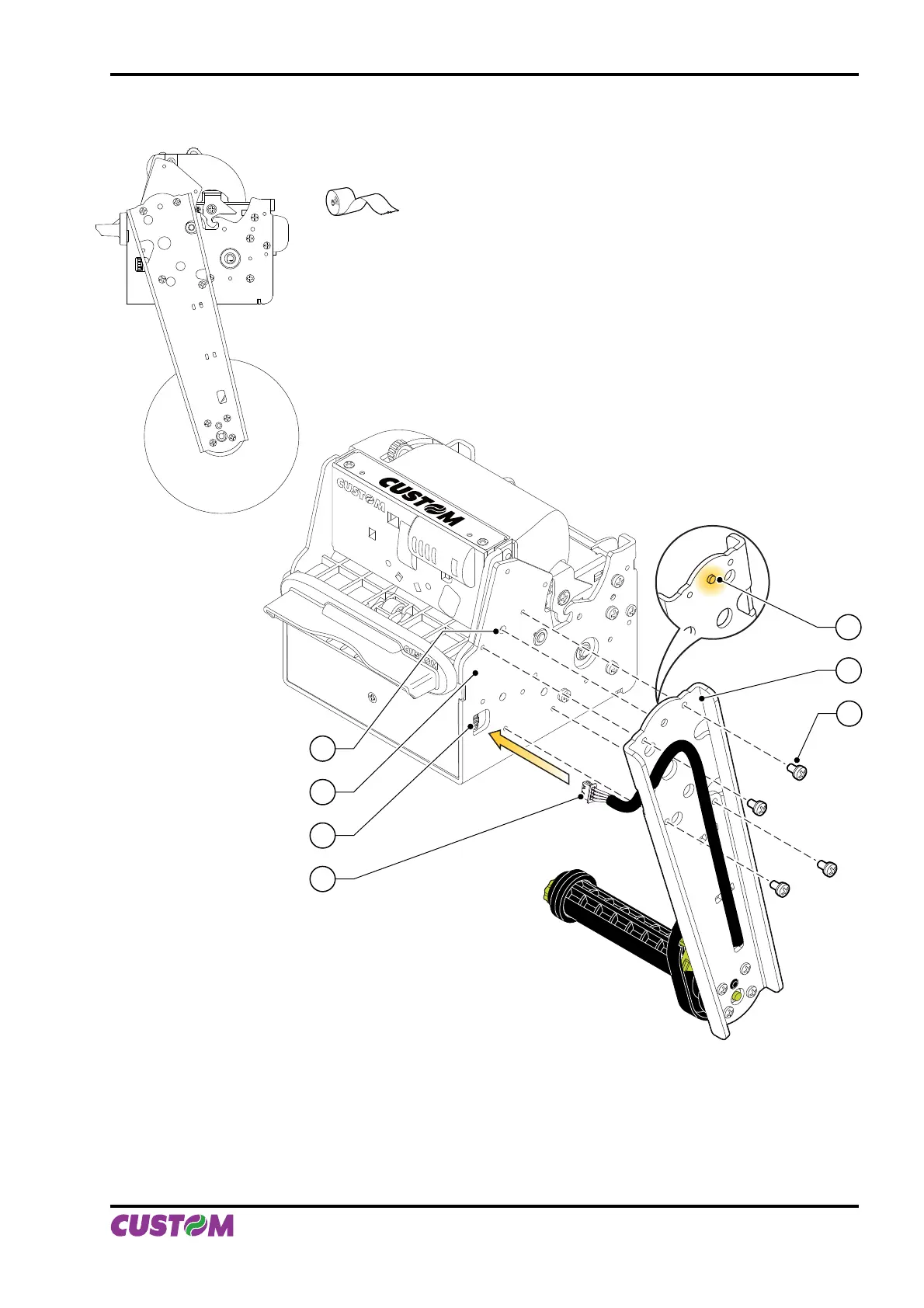
Lower attachment
Ø MAX = 180mm
1
2
3
4
7
6
5
Have the near paper end sensor connector (3) pass through the slit on the paper holder suport.1.
Insert the near paper end sensor connector (3) of the paper holder support into the connector of the sen-2.
sor card located on the printer (6).
Put the paper holder support near the printer body. Insert the point of reference (2) (paper holder sup-3.
port) into the hole (7) (printer body) (see fi g. A.7).
Attach the paper holder support (4) to the printer body (1) using four M4x8 screws (5) supplied with the 4.
kit (see fi g. A.7).
(Fig.A.7)
(Fig.A.6)
APPENDIX A - ACCESSORIES AND SPARE PARTS
User Manual VKP80II A-5



 To Next Page