4 Operations in Detail
4.1 Accessing a Function within its Group
4.1.1 Groups of Functions, and the Tabbed Main Menu
CZone operations are divided into four functional groups:
1. Modes - complete setups for operating the vessel in a consistent way: for example, when
docked; cruising at night or in daylight; at anchor; and so on
2. Control - individual control of the vessel’s equipment, such as pumps, lights, and power
isolators
3. Monitoring - measurement of the vessel’s devices and subsystems, including tank levels, AC
and DC power sources such as batteries and inverters, alarms and others
4. Settings - set CZone parameters, rather than other on-board equipment. This includes units
of measurement, backlight settings, time zones, etc.
Touch 5 offers a tab-based main menu, with a “home tab” for each of the above functional groups.
(The menu is shown in Figure 2. Touch 5's Tab based Main Menu
It is displayed along the bottom of the screen at all times except when a keypad is shown.)
Figure 2. Touch 5's Tab based Main Menu
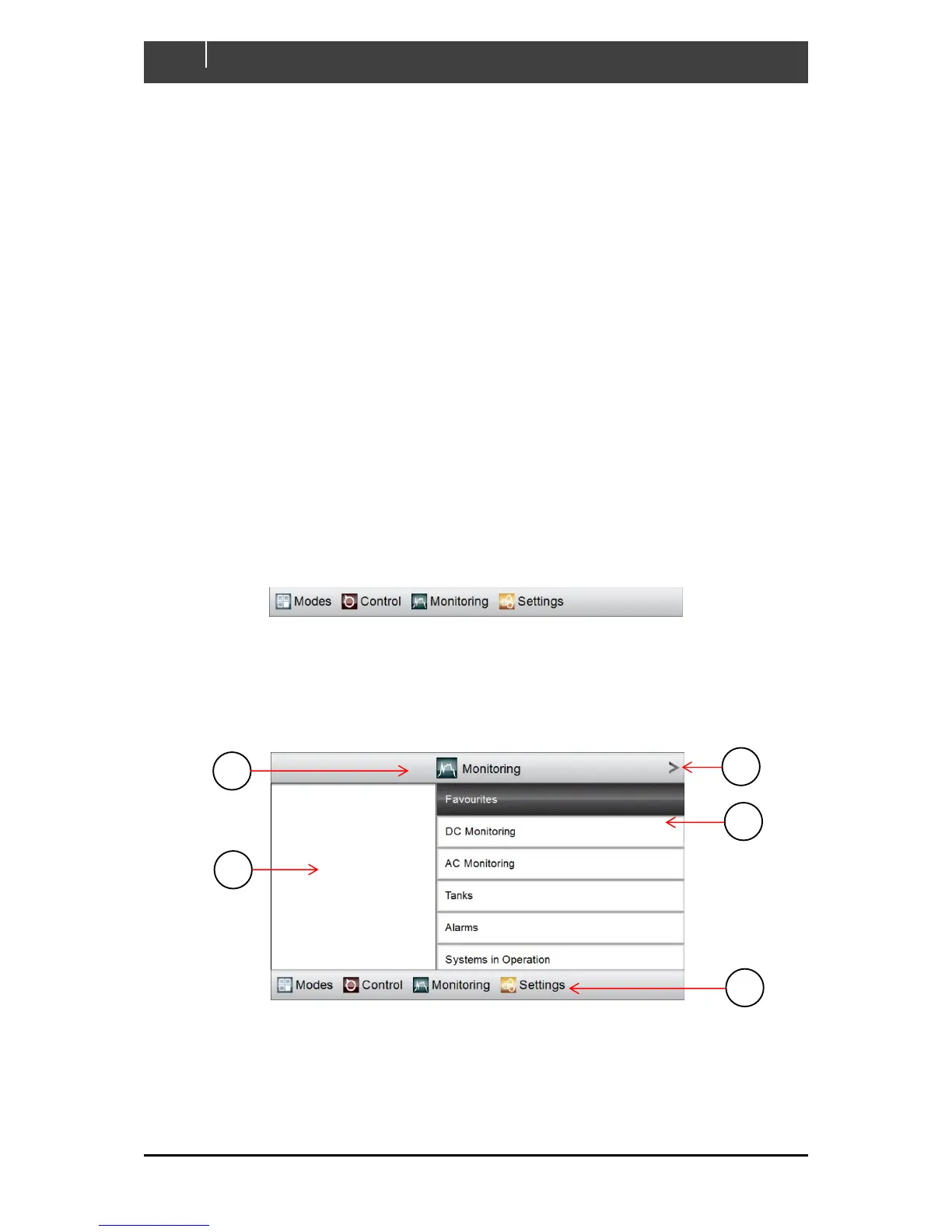
To access any function in a group, start by clicking its home tab. The GUI will display the tab’s home
page, a top-level selection with functions divided more finely into sub-categories. (See Figure 3 for an
example.)
Figure 3. Home-page for the Monitoring Functional Group
A Title, showing name of current functional group.
B Accept button. Clicking this has the same effect as clicking the highlighted sub-
category.



 To Next Page