4.2.3 Monitoring
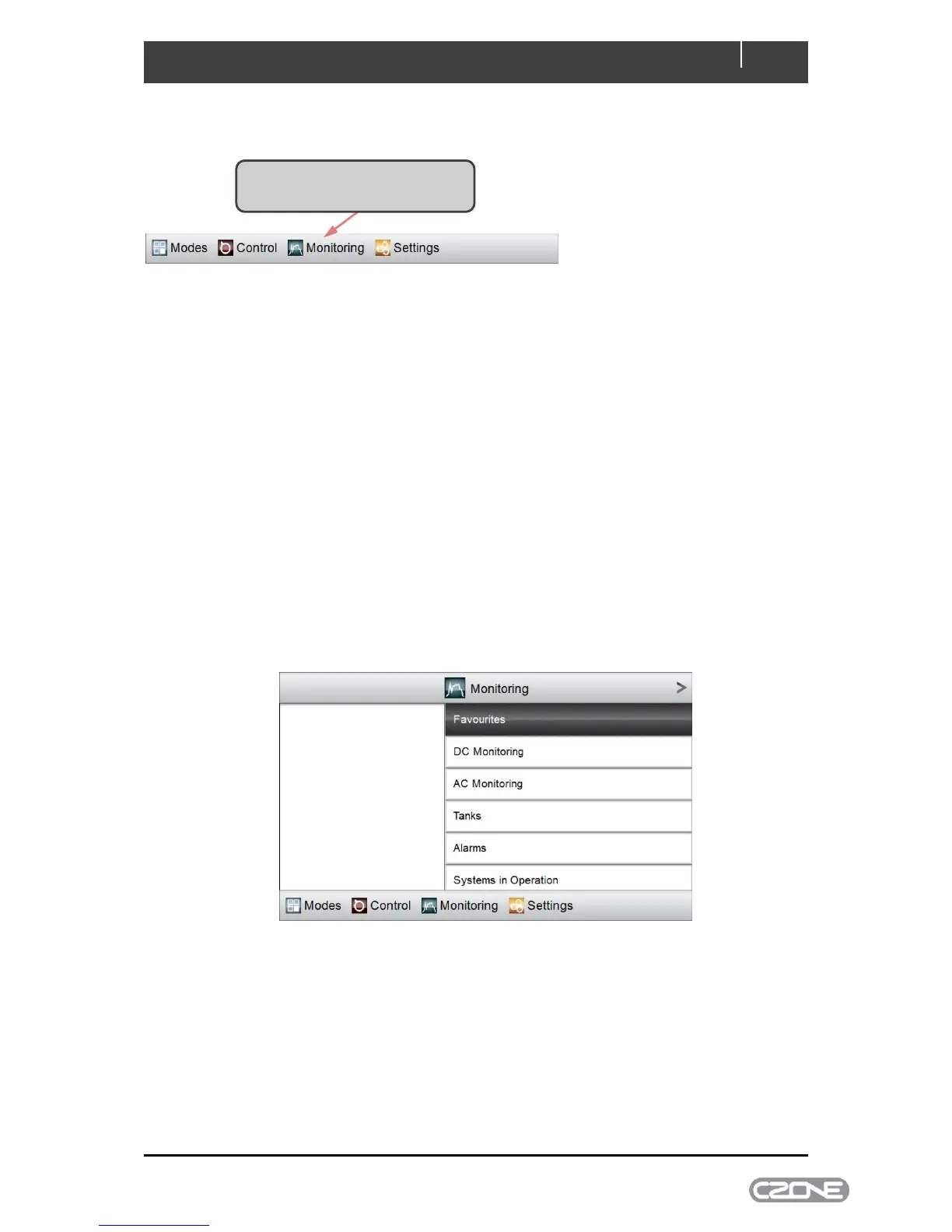
The main menu’s Monitoring tab accesses all configured metering on the CZone network.
Depending on which CZone modules are on the vessel, you may have one or more of the following
five monitoring types:
DC Monitoring - 12V or 24V supplies such as house or starter batteries, and chargers
AC Monitoring - 120V or 230V AC sources, such as shore power supplies, on-board
generators and inverters
Tanks – levels for tanks such as fresh-water, fuel, black water or grey water
Alarms - Alarm history, and unacknowledged alarms at four severity levels: Warning,
Standard, Important and Critical
Systems in Operation - access to all configured circuits that are active, in the same
categories that appear under the Control menu.
There may also be a Favourites category which will be configured by the builder for fast access to
essential meters.
Figure 6. Monitoring Page
4.2.3.1 DC Monitoring
All DC Monitoring meters behave in the same way. An example is shown below:



 To Next Page