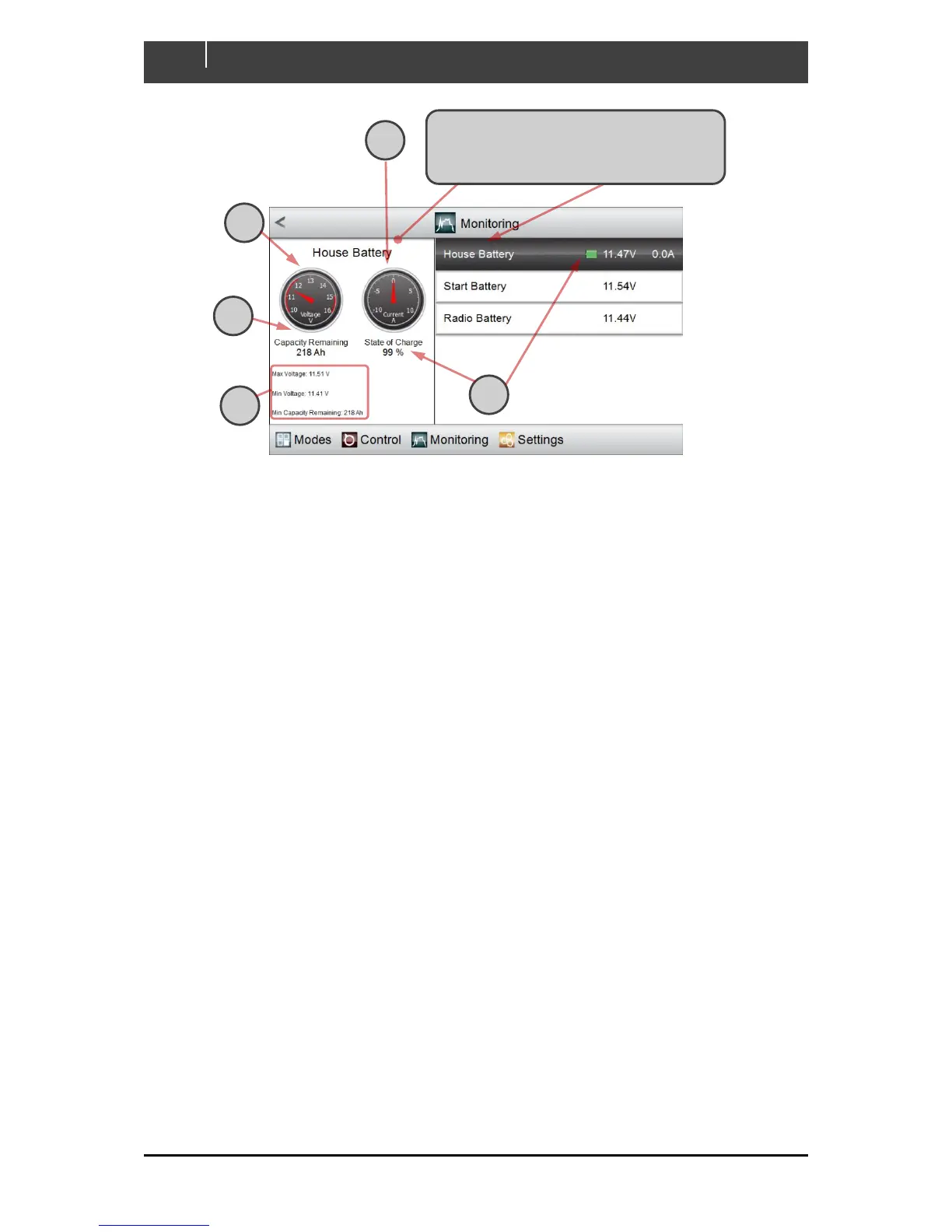
A An analogue gauge is mimicked to show the current draw
B Another gauge shows the voltage
C The calculated remaining capacity is shown, in amp-hours
D The calculated charge-state is shown, as a percentage of full charge and as the green portion
of a small icon resembling a cell
E The maximum and minimum recent states of the battery are reported.
Click on the DC device that you wish to
monitor. Highlighting shifts to the selected
device and the display pane tracks its status



 To Next Page