4.4 Wireless Interface Setup
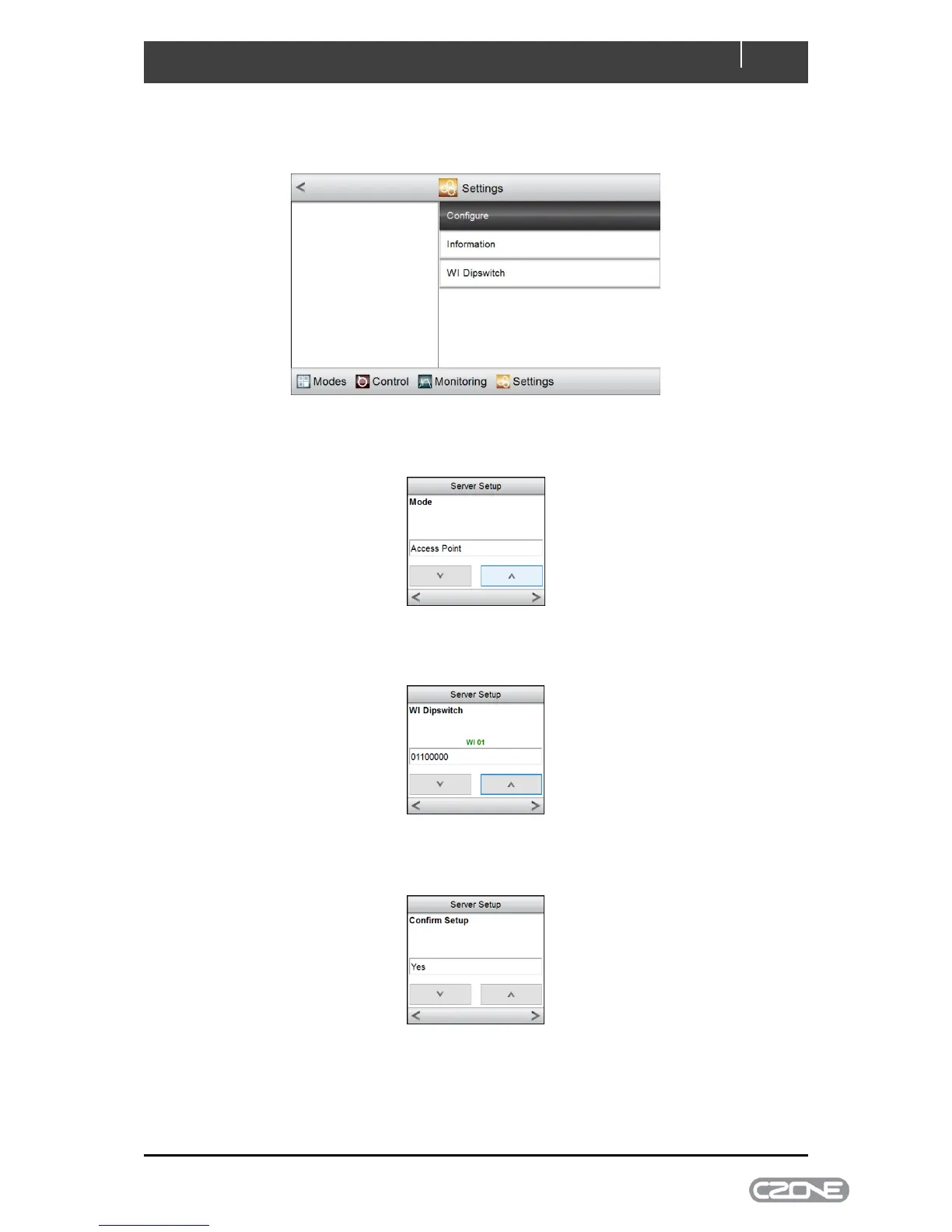
To configure the Wireless Interface on the Touch 5 go to Settings > System > Server > Configure
Select the Server Mode (Access Point, Client Mode or Disabled), then press the right arrow (refer to
the Wireless Interface Setup Instructions for a definition of these server modes).
Select the WI Dipswitch then press the right arrow (the dipswitch should match what is configured in
the CZone Configuration)
Select Yes to confirm setup, then press the right arrow
The Wireless Interface is now configured.



 To Next Page