4.5 Connecting iPad to Touch 5
Follow the below steps to connect an iPad to the Touch 5 via WiFi. Before proceeding a WI package
must be present on the Touch 5’s CZone server, this package contains the custom favourite page
settings and images. Refer to the Wireless Interface Setup Instructions for this process.
1. Download the CZone App on your iPad from the Apple App Store
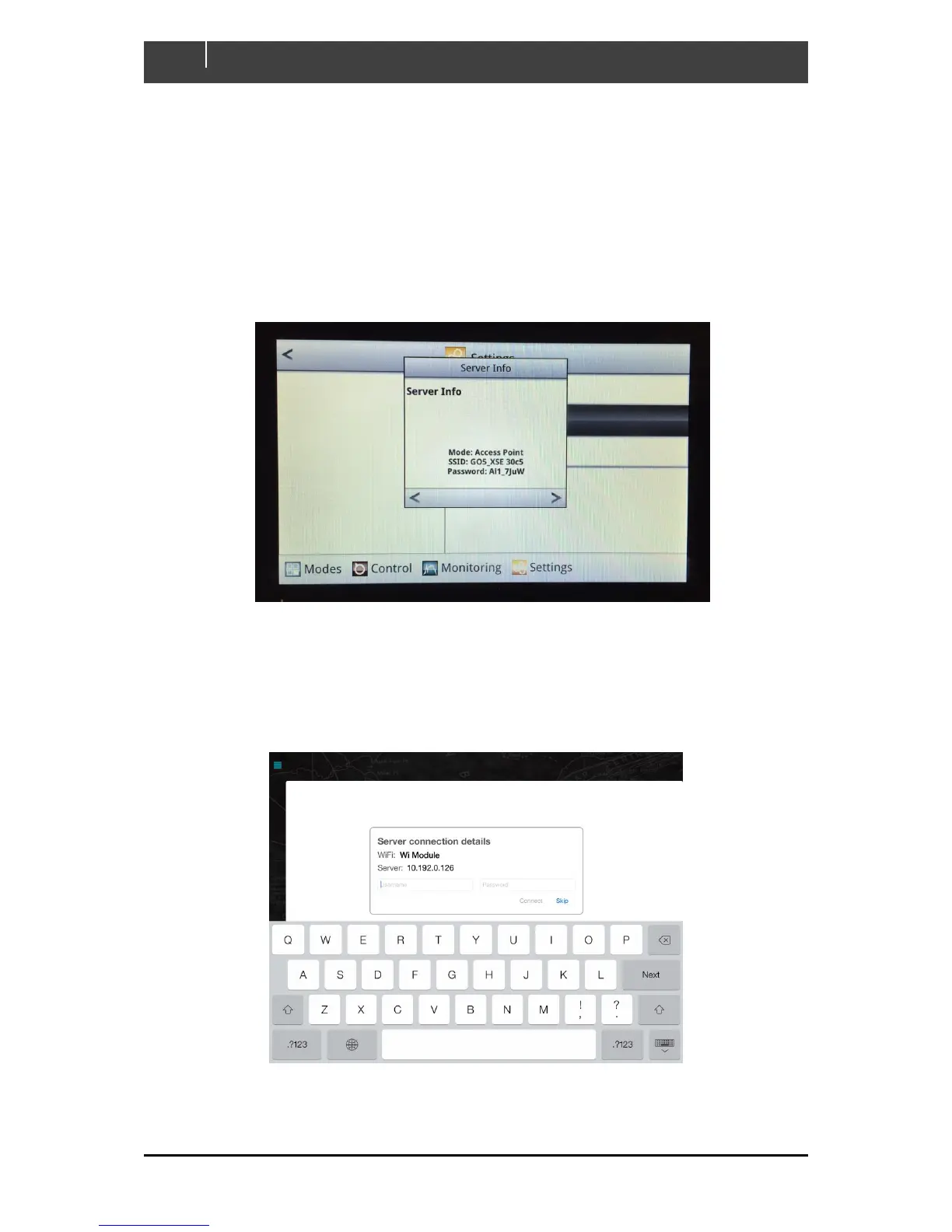
2. On the Touch 5 Go to Settings > System > Server > Information
3. The following screen will show the Touch 5’s unique SSID and Password
4. Go to Settings > WiFi on your iPad, select the SSID and enter the Password as shown on the
Touch 5 Server Info
5. Once your iPad has successfully connected open the CZone App
6. Enter the server username and password and press connect



 To Next Page