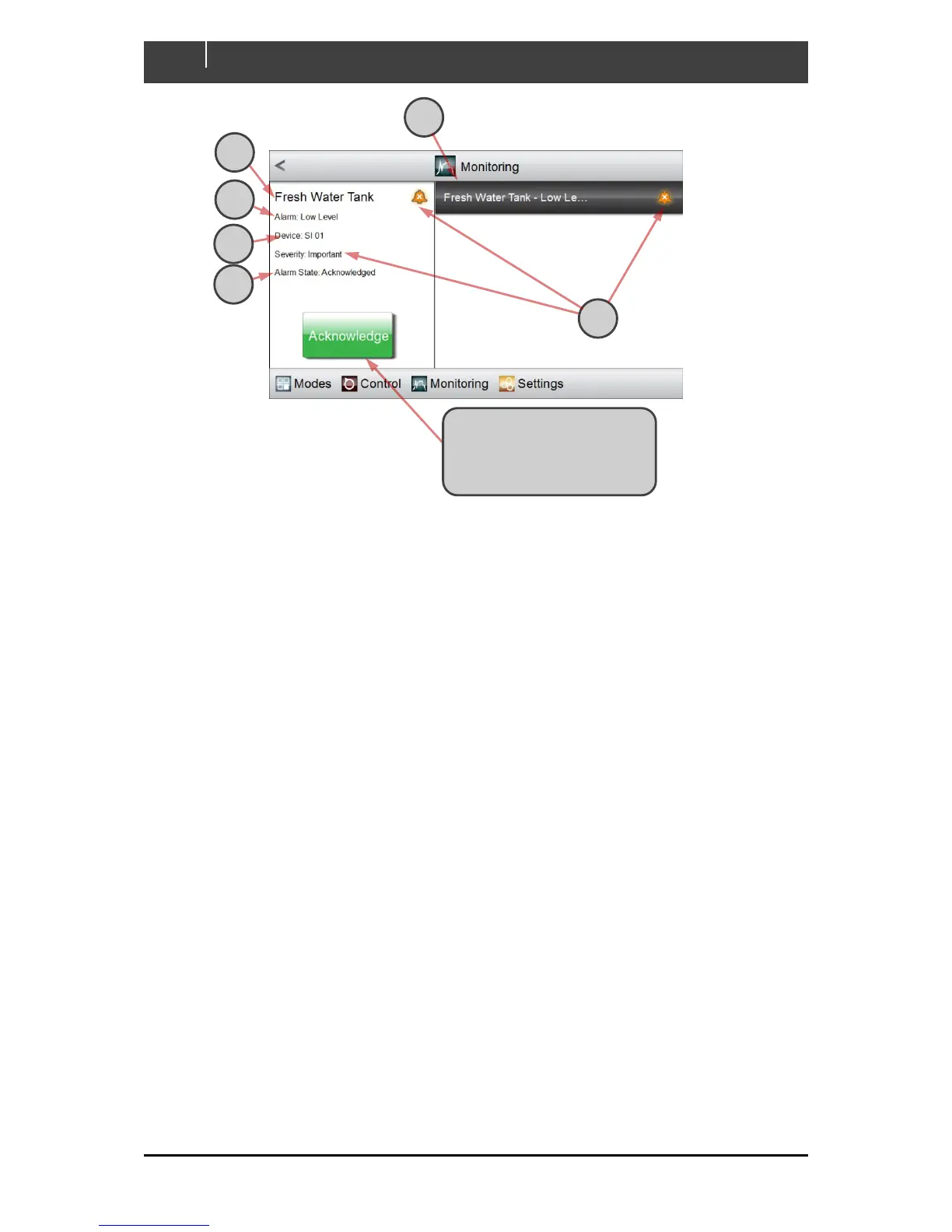
A A list of active alarms appears, all with the selected severity level. More-recent alarms are
listed first. (In this example, the Low Level alarm from the Fresh Water Tank is the only
important alarm currently active.)
B The name of the input that raised the alarm is shown in the display pane
C The name of the alarm is displayed
D The CZone module that detected the alarm is shown
E The alarm state is shown: either Enabled or Acknowledged.
F The alarm severity is described in words, and with a bell-shaped icon of the appropriate
colour.
Click the Acknowledge button
to disable an alarm if its state
is Enabled (Its entry will
remain in the Alarm History).



 To Next Page