57D-Link DAP-2690 User Manual
Section 3 - Conguration
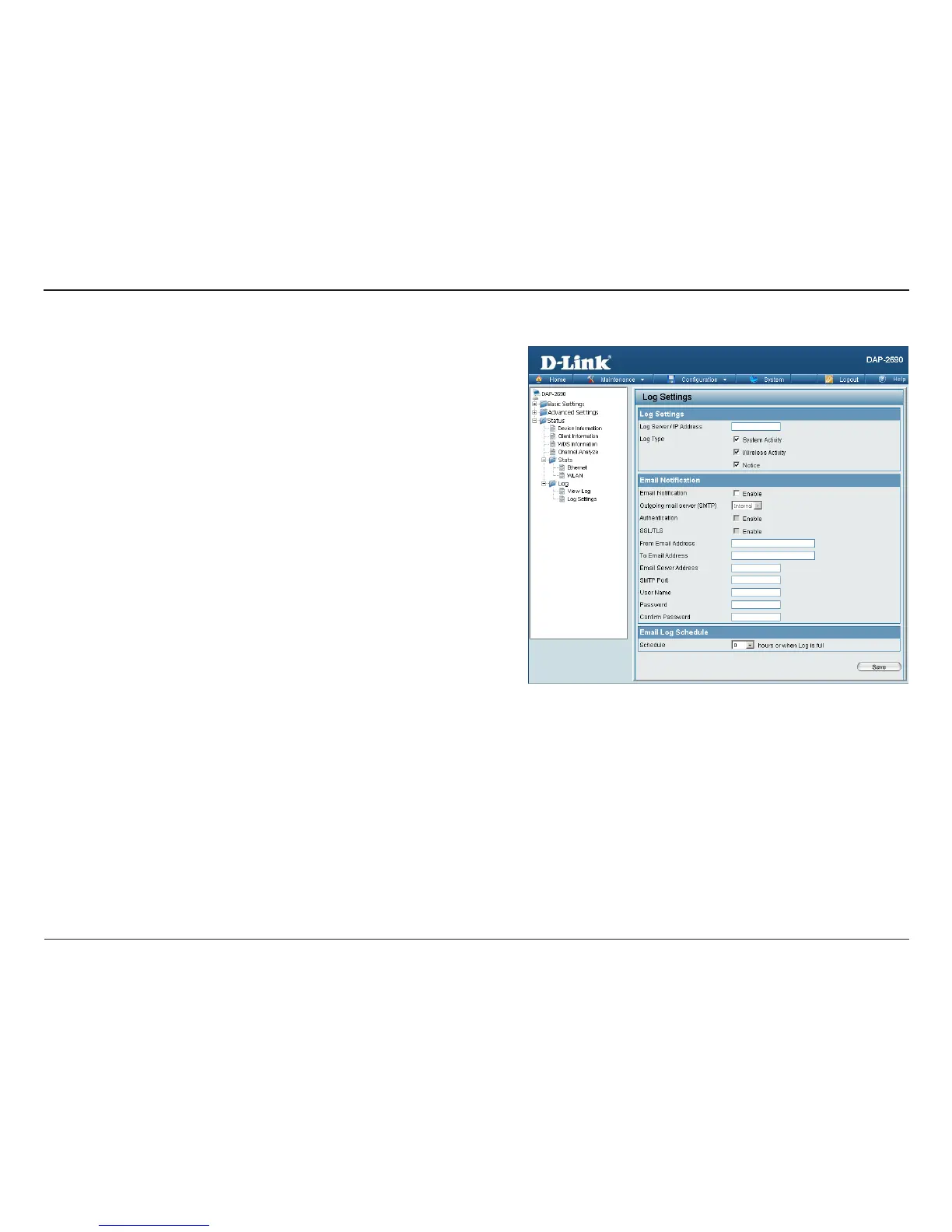
Log Settings
Log Server/IP Address:
Log Type:
Email Notication:
From Email Address:
To Email Address:
Email Server Address:
SMTP Port:
User Name:
Password:
Conrm Password:
Schedule:
Enter the IP address of the server you would like to send the
DAP-2690 log to.
Check the box for the type of activity you want to log. There
are three types: System Activity, Wireless Activity, and Notice.
Check the box to enable Simple Mail Transfer Protocol.
Enter the e-mail address of the e-mail/SMTP sender.
Enter the e-mail address of the e-mail/SMTP recipient.
Enter the IP address of the e-mail/SMTP server.
Enter the desired SMTP port number. The default value is 25.
Enter a user name for the SMTP server.
Enter a password for the SMTP server.
Conrm the password for the SMTP server by retyping it.
Use the drop-down menu to set the e-mail log schedule.














 To Next Page