DAP-600P Wireless AC2600 Wave 2 MU-MIMO Dual Band
PoE Access Point / Router
User Manual
Configuring via Web-based Interface
Changing LAN IPv4 Address
This configuration step is available for the Access point and Repeater modes.
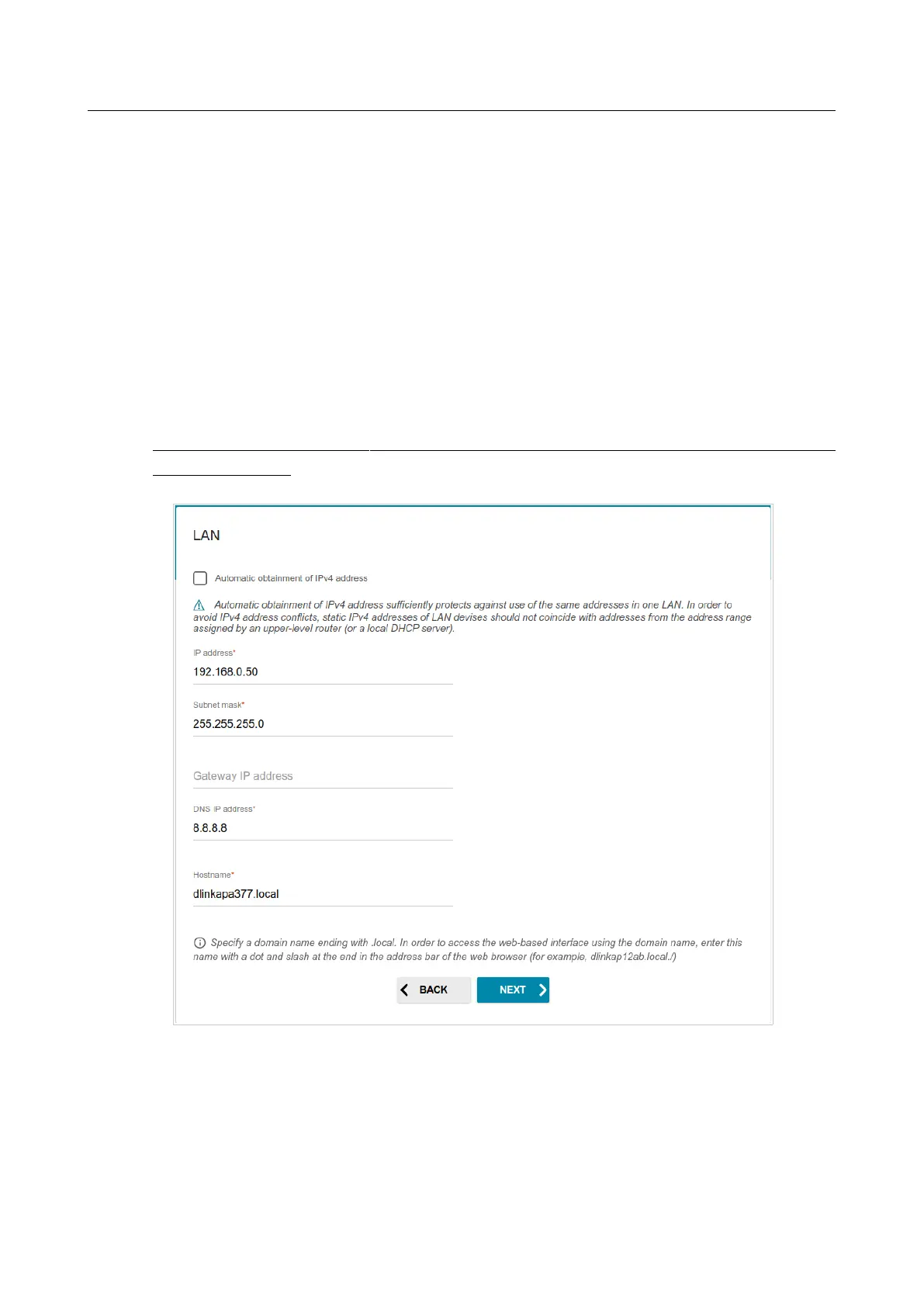
1. Select the Automatic obtainment of IPv4 address to let DAP-600P automatically
obtain the LAN IPv4 address.
If you want to manually assign the LAN IPv4 address for DAP-600P, do not select the Automatic
obtainment of IPv4 address checkbox and fill in the IP address, Subnet mask, DNS IP
address, Hostname fields and, if needed, the Gateway IP address field. Make sure that the
assigned address does not coincide with the LAN IPv4 address of the router to which your device
connects.
!
If the LAN IPv4 address of DAP-600P was changed, it may be necessary to change your
PC’s NIС settings.
Figure 43. The page for changing the LAN IPv4 address.
2. Click the NEXT button to continue or click the BACK button to return to the previous page.
Page 56 of 235



 To Next Page