DAP-600P Wireless AC2600 Wave 2 MU-MIMO Dual Band
PoE Access Point / Router
User Manual
Configuring via Web-based Interface
Connection of Multimedia Devices
This section is available if the Router or WISP Repeater mode was selected in the Initial
Configuration Wizard.
The Multimedia Devices Connection Wizard helps to configure the LAN port of the access point for
connecting additional devices, for example, an IPTV set-top box or IP phone. Contact your ISP to
clarify if you need to configure DAP-600P in order to use these devices.
!
Configuration of the LAN port is available only via Wi-Fi connection to DAP-600P .
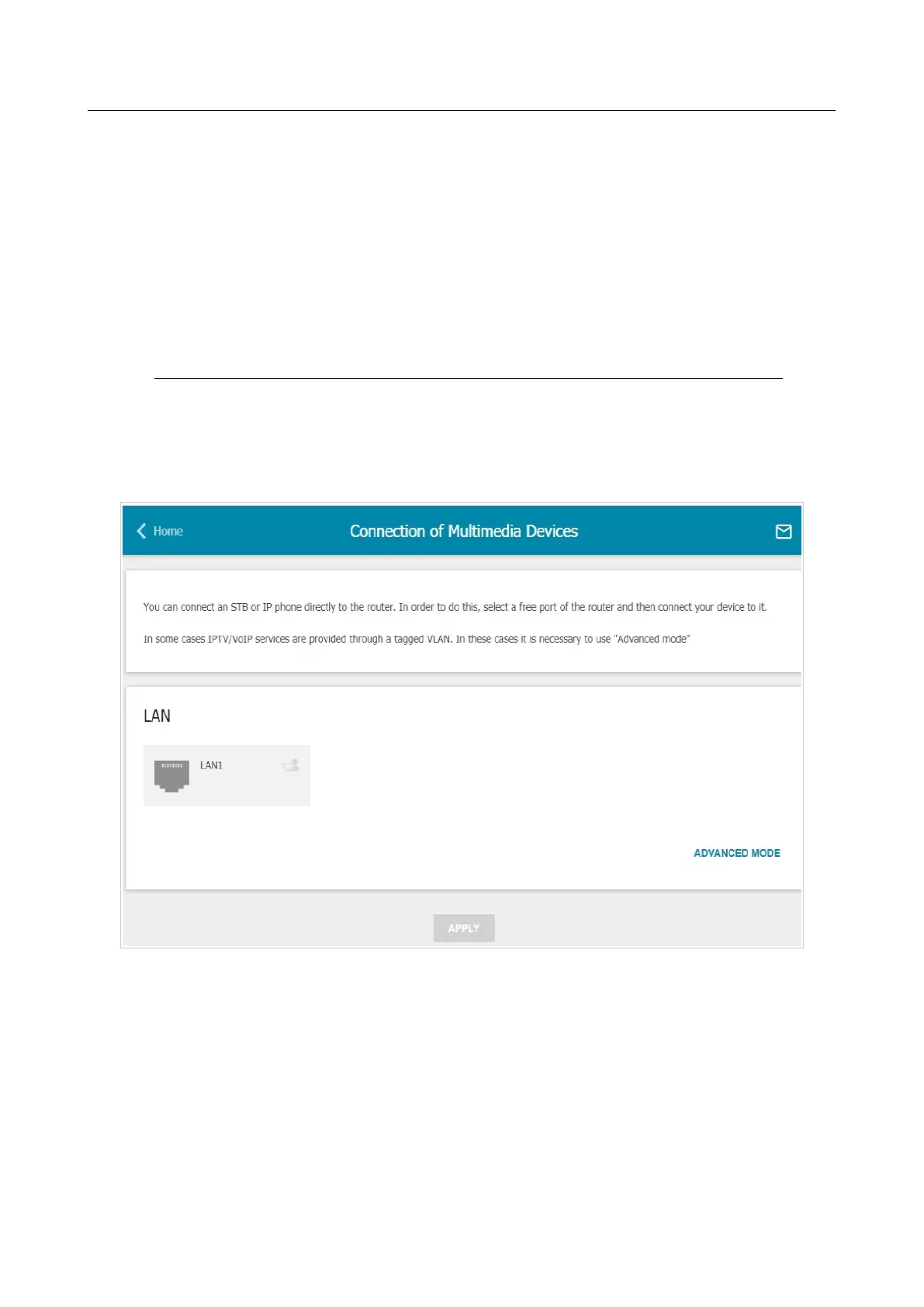
To start the Wizard, on the Home page, select the Connection of Multimedia Devices section.
If you need to select the port in order to use an additional device, left-click the LAN1 port in the
LAN section (the selected element will be marked with a frame). Then click the APPLY button.
Figure 55. The Multimedia Devices Connection Wizard. The simplified mode.
Page 70 of 235



 To Next Page