DAP-600P Wireless AC2600 Wave 2 MU-MIMO Dual Band
PoE Access Point / Router
User Manual
Configuring via Web-based Interface
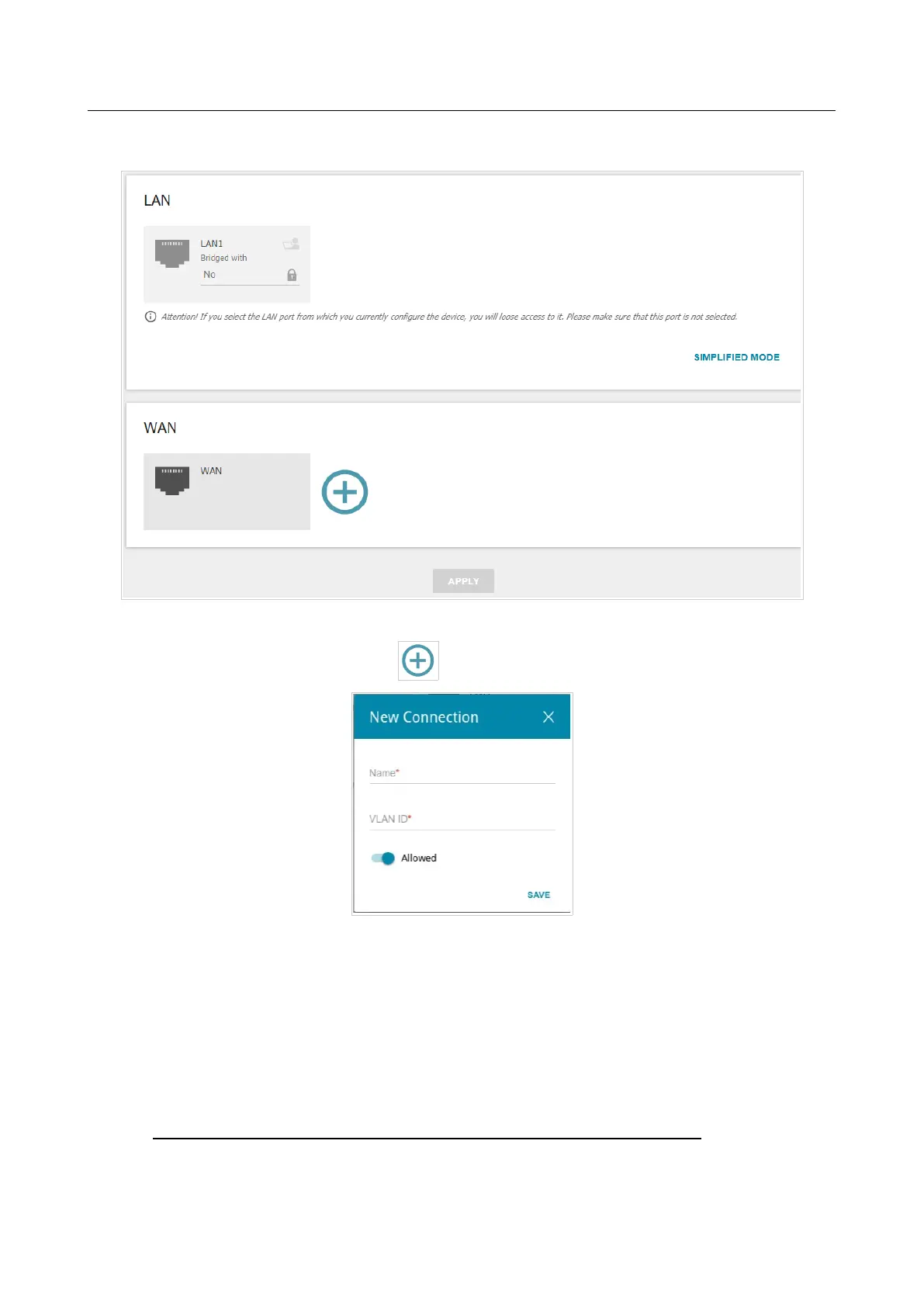
If you need to configure a connection via VLAN, click the ADVANCED MODE button.
Figure 56. The Multimedia Devices Connection Wizard. The advanced mode.
In the WAN section, click the Add icon ( ).
Figure 57. Adding a connection.
In the opened window, specify a name of the connection for easier identification in the Name field
(you can specify any name). Specify the VLAN ID provided by your ISP and click the SAVE
button.
Then in the LAN section, from the Bridged with drop-down list of the LAN1 port, select the
created connection. Click the APPLY button.
!
The selected port cannot use the default connection to access the Internet.
Page 71 of 235



 To Next Page