D-Link DGS-3324SR Layer 3 Stackable Gigabit Ethernet Switch
140
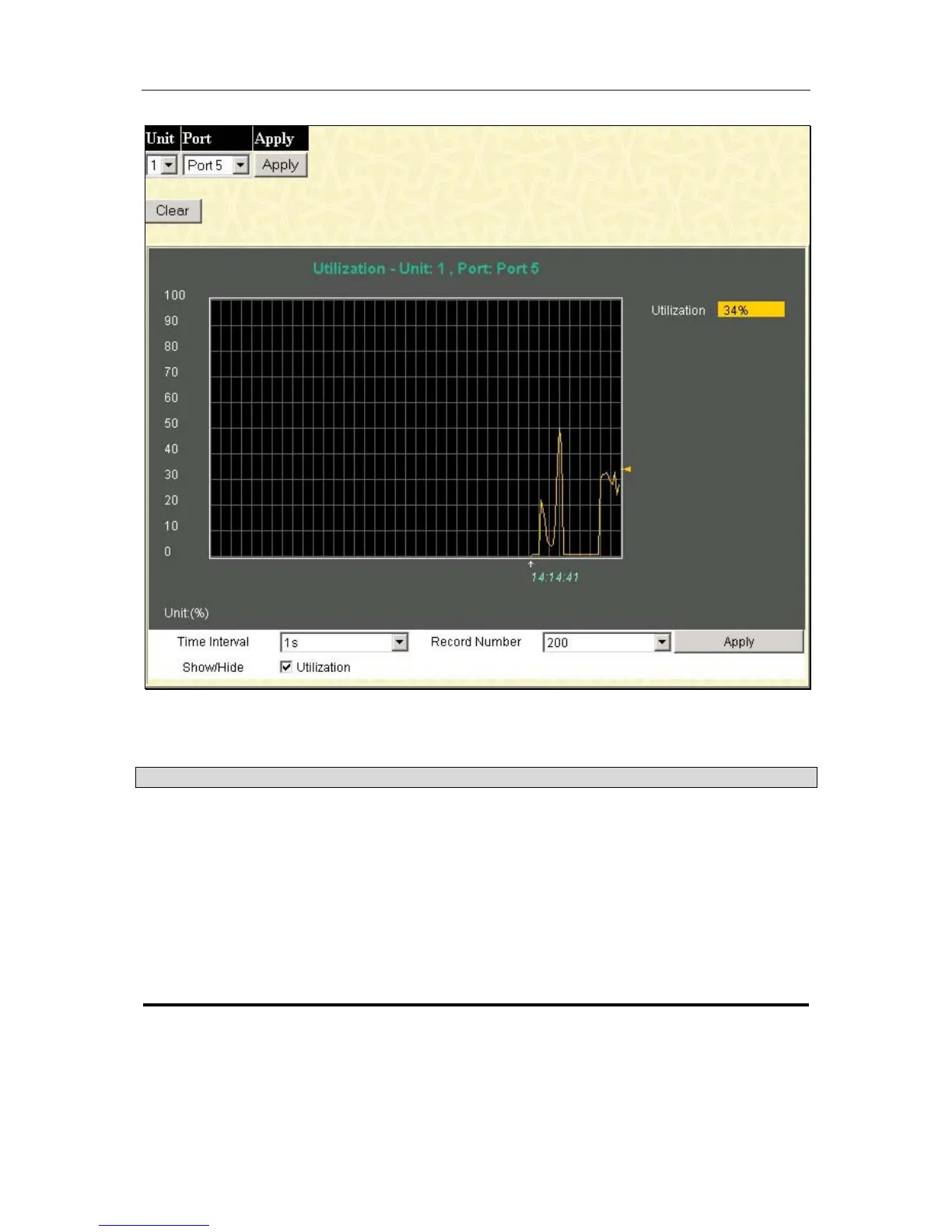
Figure 6- 1. Port Utilization window
The following field can be set or viewed:
Parameter Description
Unit
Allows you to specify a switch in a switch stack using that switch’s Unit ID.
15 indicates a switch in standalone mode.
Port
Allows you to specify a port to monitor − from the switch selected above.
Click Apply to view the Utilization for the selected port.
Time Interval
Select the desired setting between 1s and 60s, where “s” stands for
seconds. The default value is one second.
Record Number
Select number of times the Switch will be polled between 20 and 200. The
default value is 200.
Packets
The Web Manager allows various packet statistics to be viewed as either a line graph or a table. Six windows are
offered.





 To Next Page