D-Link DGS-3324SR Layer 3 Stackable Gigabit Ethernet Switch
61
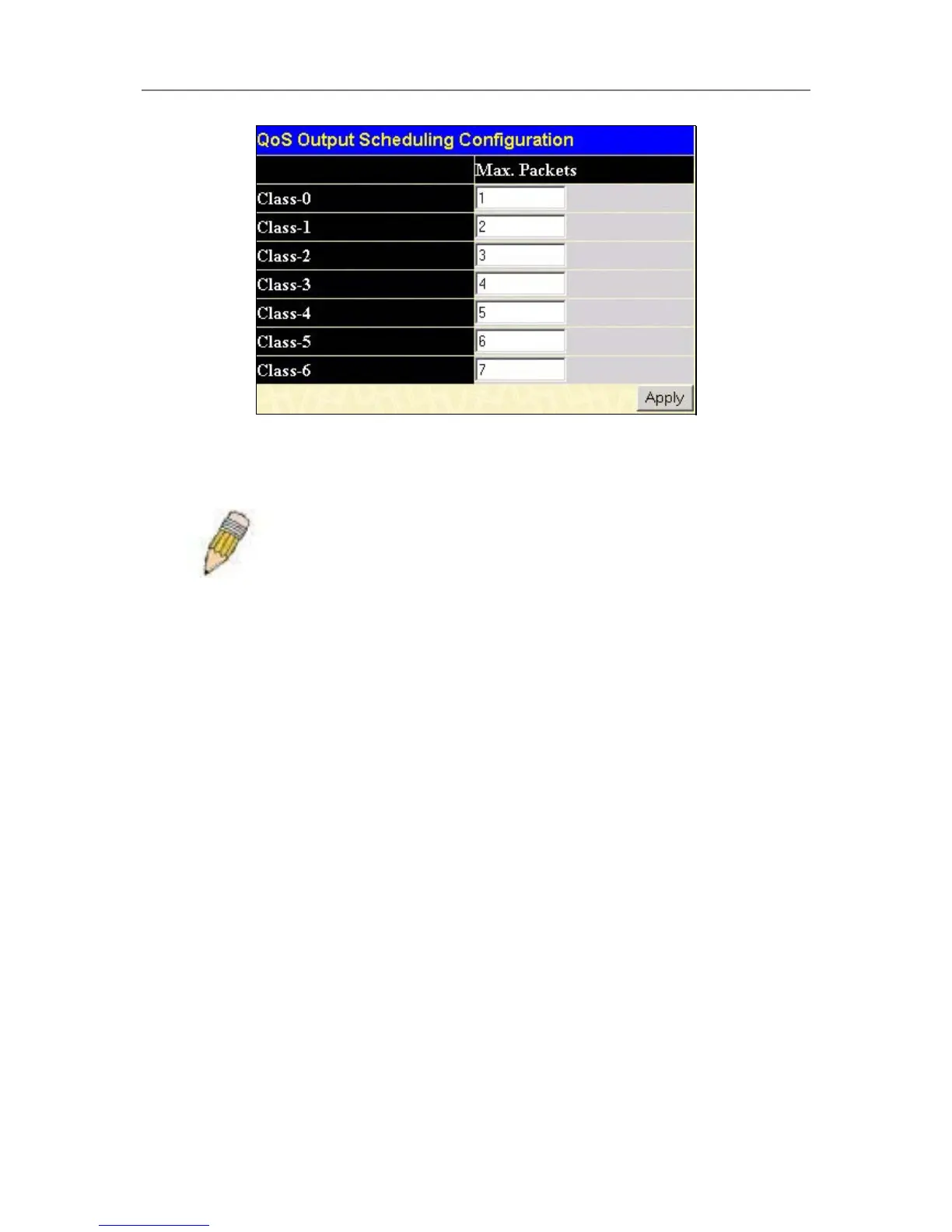
Figure 4- 29. QoS Output Scheduling Configuration window
Once you have assigned a priority to the port groups on the Switch, you can then assign this Class to each of the
7 levels of 802.1p priorities.
Note: The settings you assign to the queues, numbers 0-7, represent the
IEEE 802.1p priority tag number. Do not confuse these settings with port
numbers.
802.1p Default Priority
The Switch allows the assignment of a default 802.1p priority to each port on the switch. In the Configuration
folder open the QoS folder and click 802.1p Default Priority, to view the screen shown below.





 To Next Page