D-Link DGS-3324SR Layer 3 Stackable Gigabit Ethernet Switch
84
Capability
Two role choices can be selected:
Authenticator − A user must pass the authentication process to gain access
to the network.
None − The port is not controlled by the 802.1x functions.
Initializing Ports
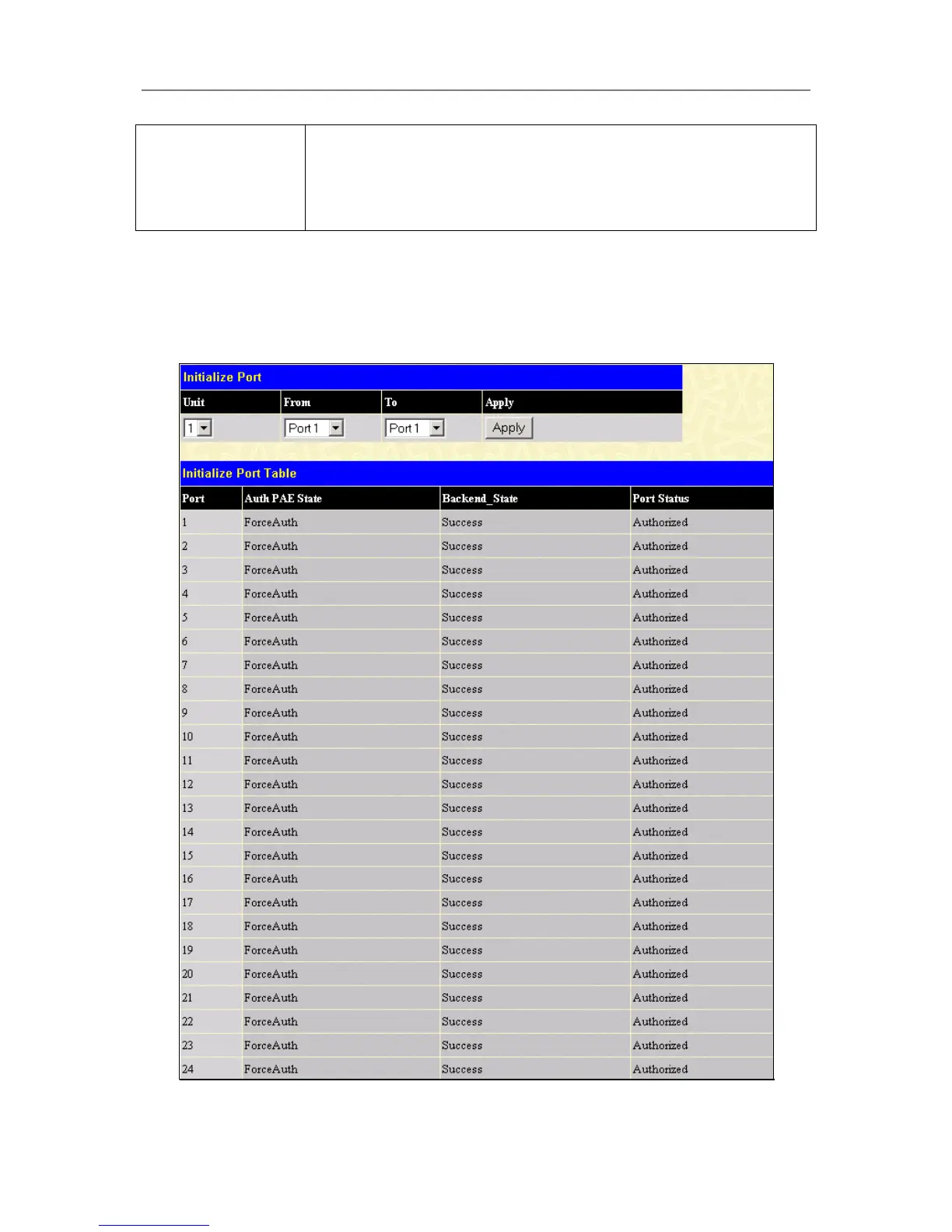
Existing 802.1x port settings are displayed and can be configured using the window below.
Click Initialize Port(s) on the PAE Access Entity folder on the Configuration menu to open the 802.1x Port
Initial window:
Figure 4- 54. 802.1x Port Initial and Port Authentication state window





 To Next Page