D-Link DGS-3324SR Layer 3 Stackable Gigabit Ethernet Switch
62
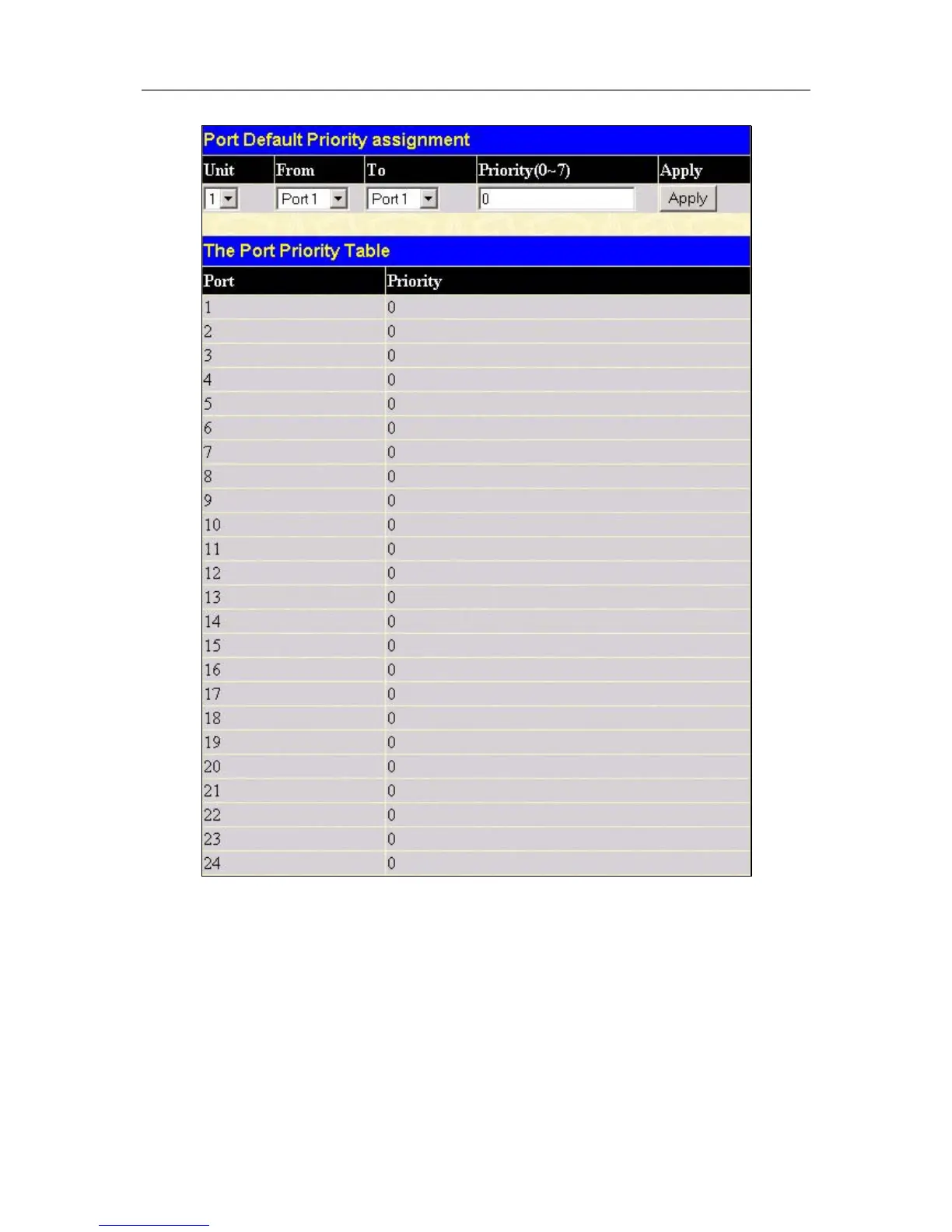
Figure 4- 30. 802.1p Default Priority window
This page allows you to assign a default 802.1p priority to any given port on the Switch. The priority queues are
numbered from 0 − the lowest priority − to 7 − the highest priority. Click Apply to implement your settings.
802.1p User Priority
The DGS-3324SR allows the assignment of a User Priority to each of the 802.1p priorities. In the Configuration
folder open the QoS folder and click 802.1p User Priority, to view the screen shown below.





 To Next Page