D-Link DGS-3324SR Layer 3 Stackable Gigabit Ethernet Switch
29
Box Type
The user may choose the model name of the Master switch in a stack to be
the main configuring switch of that stack.
Priority
Displays the priority ID of the Switch. The lower the number, the higher the
priority. The box (switch) with the lowest priority number in the stack is the
Master switch.
Information configured in this screen may be found in the Monitoring folder under Stack Information.
Configuring Ports
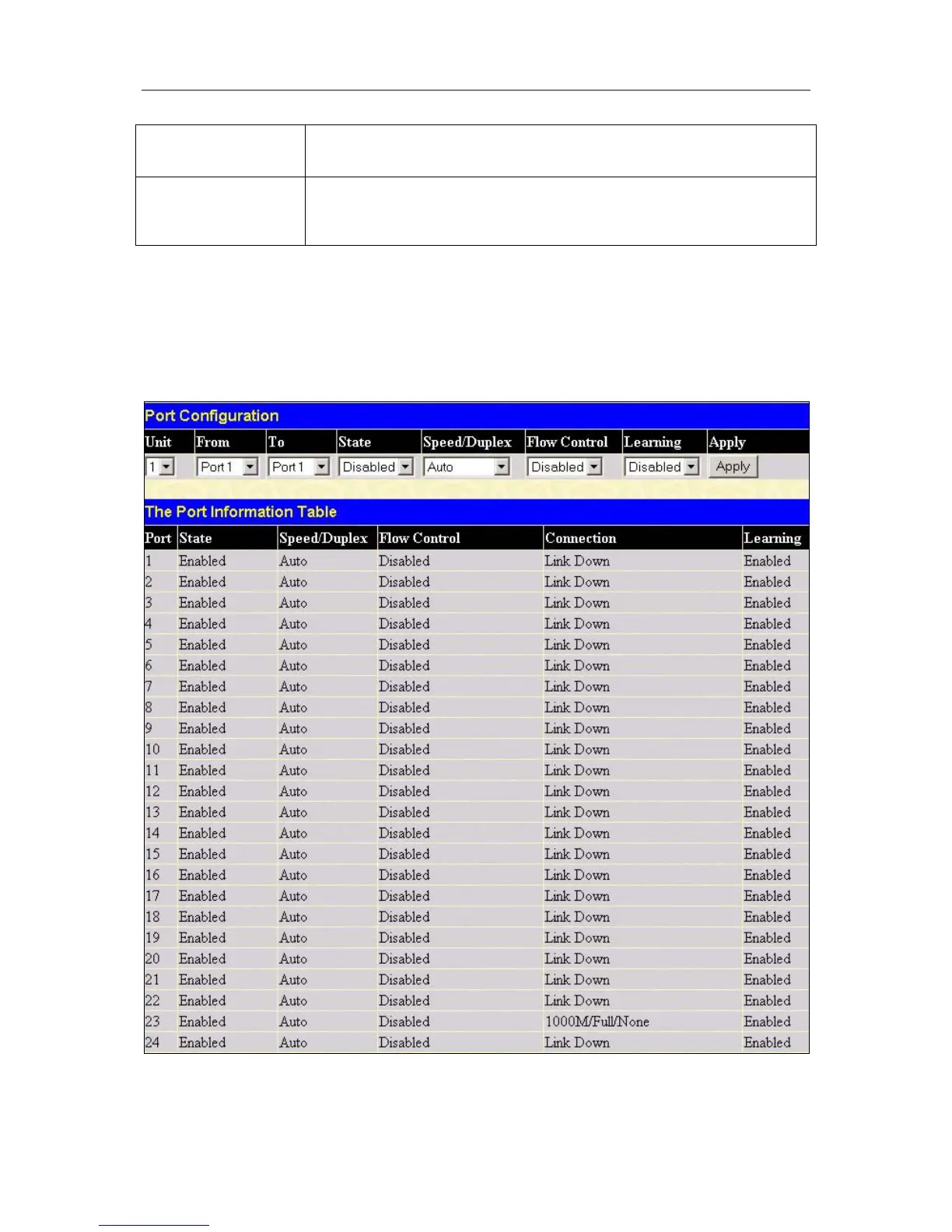
This section contains information for configuring various attributes and properties for individual physical ports,
including port speed and flow control. Clicking on Port Configurations in the Configuration menu will display
the following window for the user:
Figure 4- 2. Port Configuration menu





 To Next Page