D-Link DGS-3324SR Layer 3 Stackable Gigabit Ethernet Switch
57
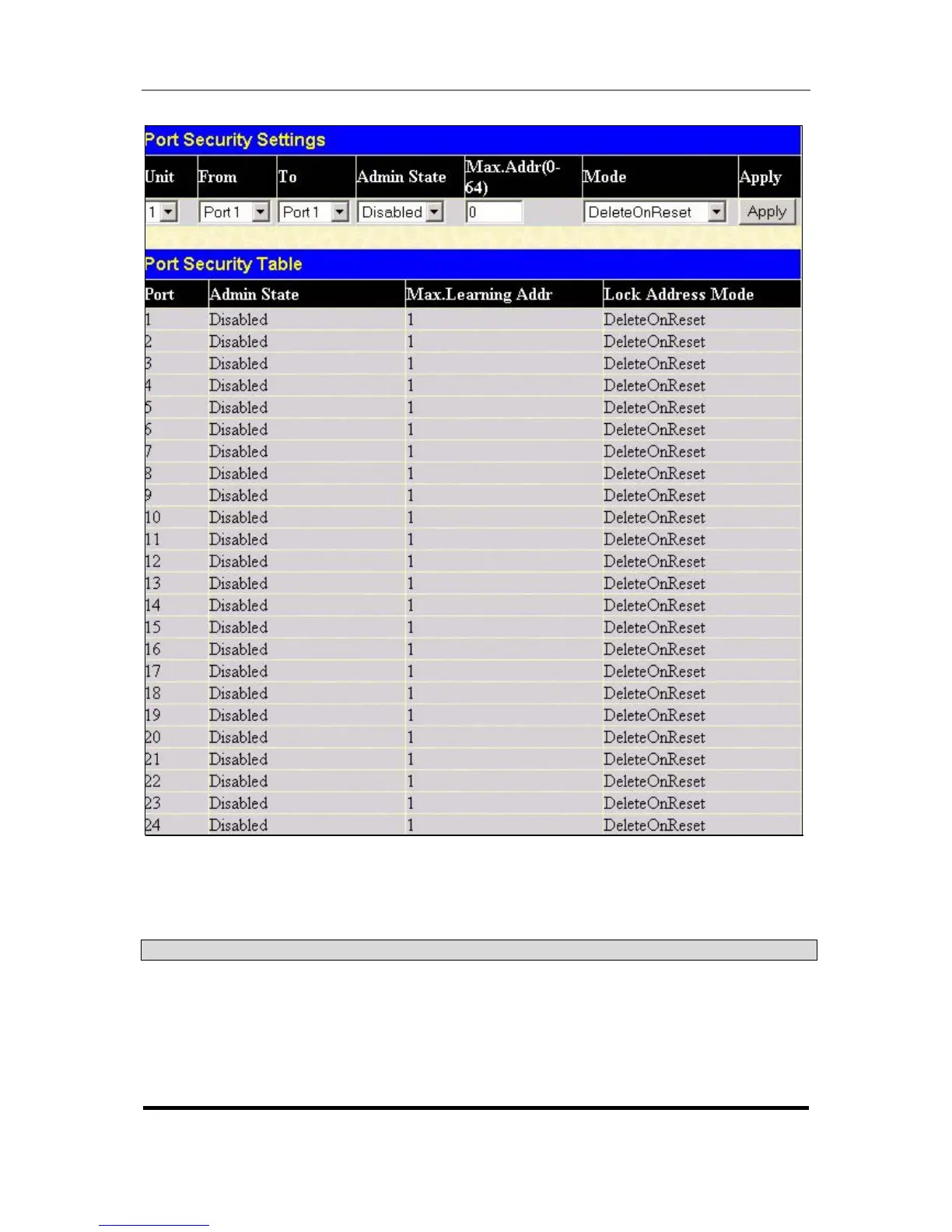
Figure 4- 26. Port Security Settings window
Click Apply to implement the changes on the Switch.
The following parameters can be set:
Parameter Description
Unit
Allows you to specify a switch in a switch stack using that switch’s Unit ID.
From/To
A consecutive group of ports may be configured starting with the selected
port.
Admin State
This pull-down menu allows you to Enable or Disable Port Security
(locked MAC address table for the selected ports.)





 To Next Page