61D-Link DIR-457U User Manual
Section 5 - WEB Configuration
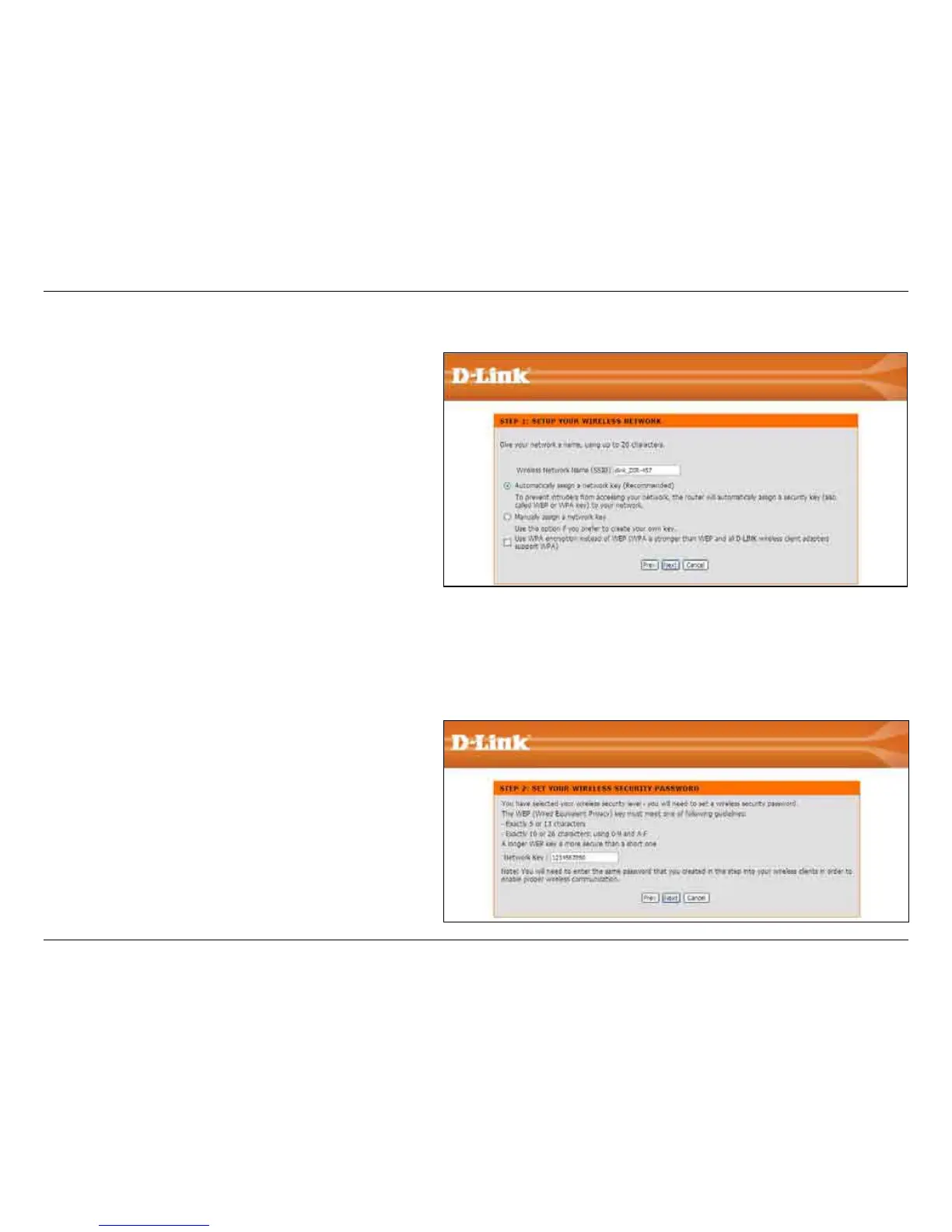
Enter the SSID (Service Set Identier). The SSID
is the name of your wireless network. Create a
name using up to 20 characters. The SSID is case-
sensitive.
If you would like the router to automatically assign a
network key to your network, click the Automatically
assign a network key radio button.
Click Next to continue.
Alternatively, click the Manually assign a network
key radio button to create your own network key; or,
click to check the Use WPA encryption... box.
Click Next to continue.
The following window appears if you selected the
option to manually create your own network key.
Type a password that you would like to use for
wireless security in the Network Key: entry eld.
Click Next to continue.
Wireless Connection Setup Wizard



 To Next Page