20D-Link DIR-608 User Manual
Section 3 - Conguration
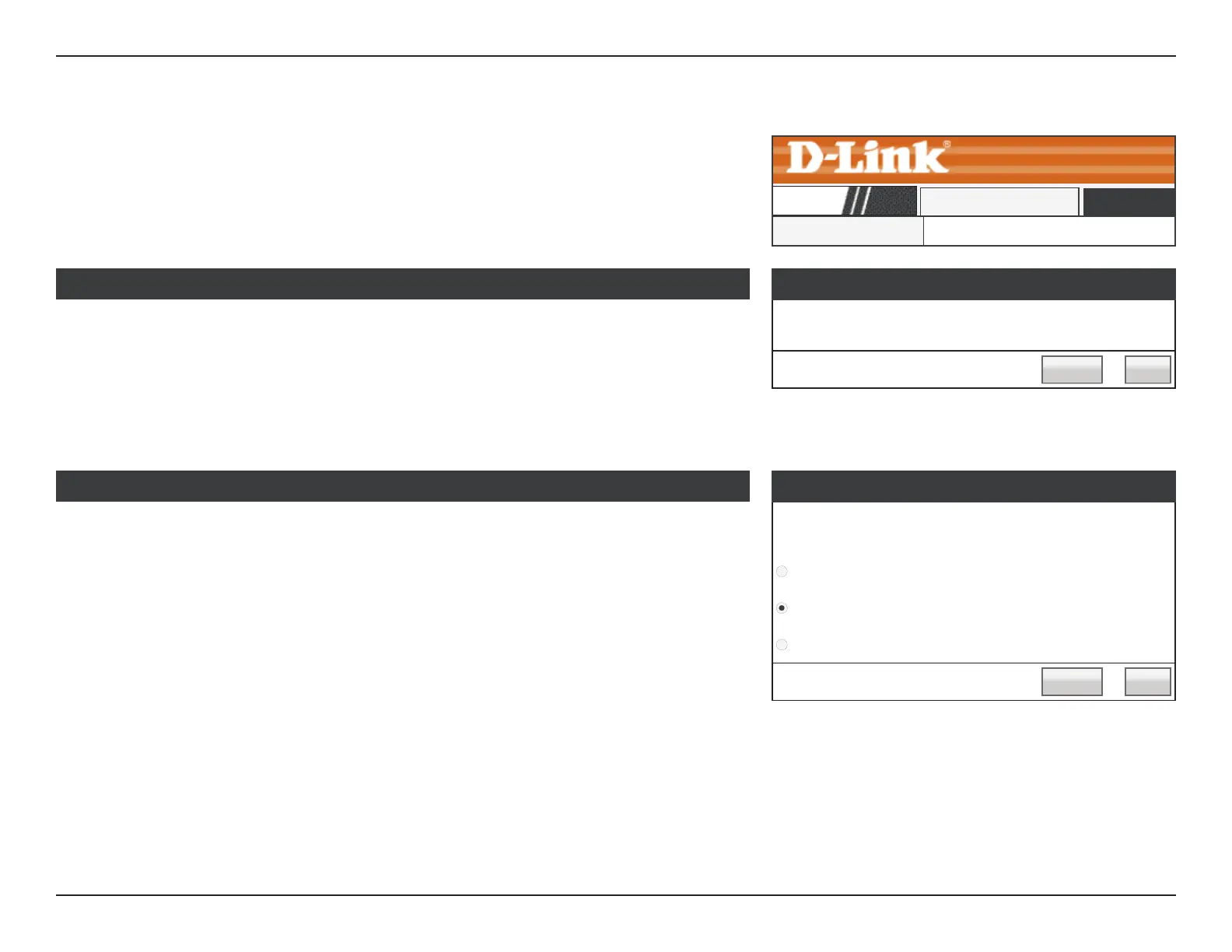
Wizard
Easy Setup
The easy setup will tell you how to congure the basic
network parameters. To continue, please click the “Next”
button.
Manual Next
Wizard
DIR-608
Setup
Click Wizard on the navigation menu to set up or repair your Internet connection.
Click Next to begin the Easy Setup Wizard.
Next: Starts the Easy Setup Wizard.
Internet Setup: Redirects you to the Internet Setup page. Refer to Internet Setup
on page 27 for more information.
Easy Setup
This section allows you to congure the IP address of the router.
Easy Setup - WAN Connection Type
The Easy Setup supports three popular types of connection.
To make sure the connection type your ISP provides, please
refer to the ISP.
PPPoE - Usually for ADSL Modem and you will need a
PPPoE username and password from your ISP.
Dynamic IP - Usually for Cable Modem and the router will
automatically obtain an IP address from the DHCP server.
Static IP - This type of connection uses a permanent, xed
(static) IP address that your ISP assigned.
Back Next
Easy Setup - WAN Connection Type
Select the connection type your ISP uses: PPPoE, Dynamic IP, or Static IP.
Next: Proceed to the next step.
Back: Go back to the last step.













 To Next Page