72D-Link DIR-615+ User Manual
Section 4 - Conguration
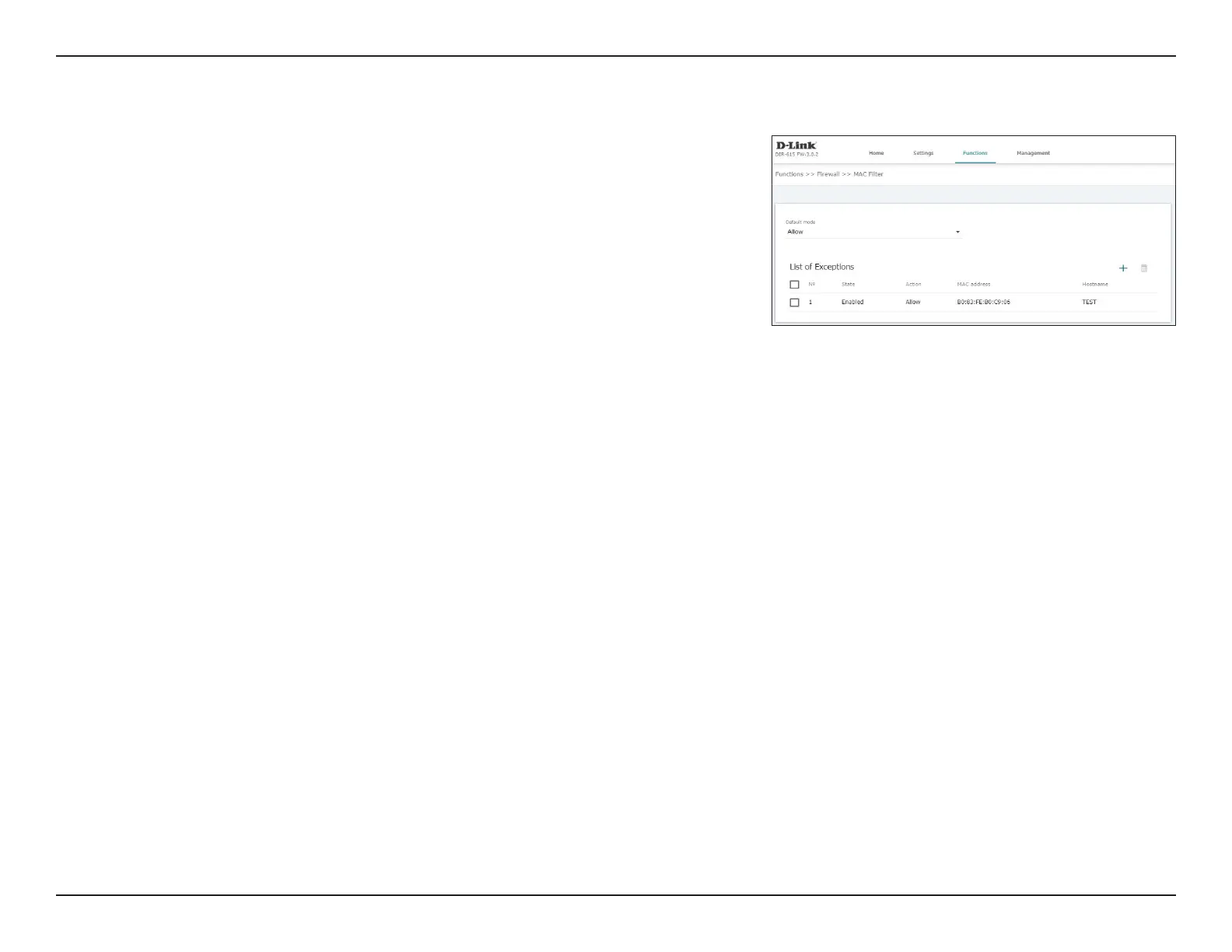
MAC Filter
The MAC lter is used to restrict or allow certain types of Ethernet Frames
through the gateway based on their source or destination MAC address. These
lters are helpful in securing or restricting trac on your local network.
The currently dened MAC lters are displayed in the table. You may dene up
to 32 MAC ltering rules. If you wish to remove a rule, click the corresponding
check box to select it and then click Delete. If you wish to create a new rule,
click the Add button.
Default Mode: Select Allow to allow all trac except from MAC addresses in the List
of exceptions with the Deny action.
Select Deny to allow all trac except from MAC addresses in the List
of exceptions with the Allow action.
List of exceptions
Add: Click here to add a new lter to the rewall. For details, see Add Rule
on page 73.
Delete: If you have a selected one or more lters, click this button to delete
the selected lter(s).
No: If DMZ is enabled, specify the IP address of the DMZ host.
Status: Indicates the number of the lter.
Action: Indicates the action taken when the lter is triggered.
MAC address: Indicates the MAC address to which the lter applies.
Hostname: Indicates the hostname of the device to which the lter applies.













 To Next Page