DVG-5402G/GF Wireless AC1200 MU-MIMO Dual Band
Gigabit Router with Fiber WAN Port, 3G/LTE Support, 2 FXS
Ports, and USB Port
User Manual
Configuring via Web-based Interface
Interface Grouping
On the Advanced / Interface Grouping page, you can create groups consisting of interfaces and
ports of the router, for example, for distinguishing different types of traffic. Such a function is
mostly used in Triple-play networks.
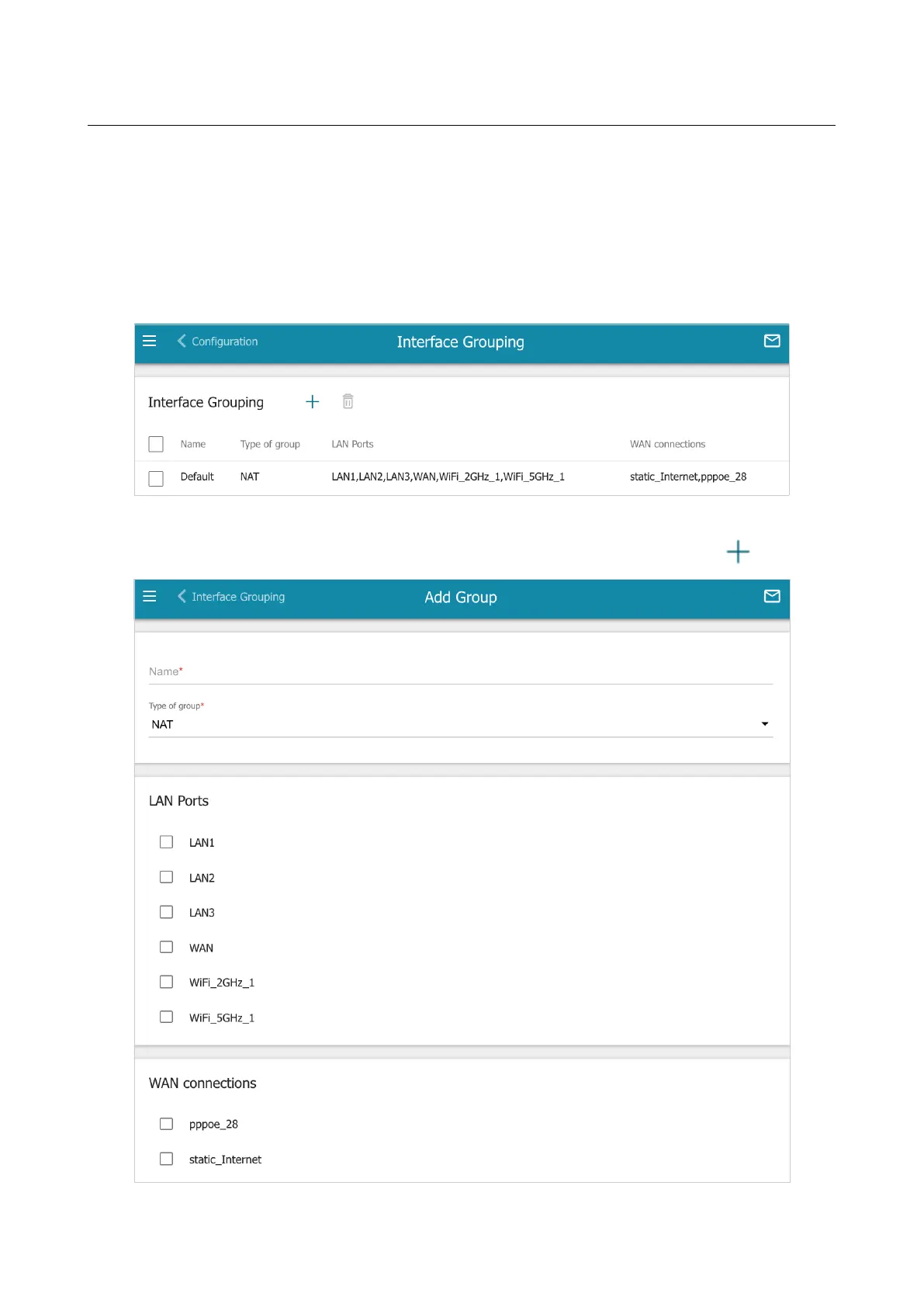
The DEFAULT group is created in the router's system. You cannot edit or delete this group.
Figure 155. The Advanced / Interface Grouping page.
To create a new rule for interface grouping (a group of ports), click the ADD button ( ).
Figure 156. The page for adding a new group of ports.
Page 201 of 311


 To Next Page