DVG-5402G/GF Wireless AC1200 MU-MIMO Dual Band
Gigabit Router with Fiber WAN Port, 3G/LTE Support, 2 FXS
Ports, and USB Port
User Manual
Configuring via Web-based Interface
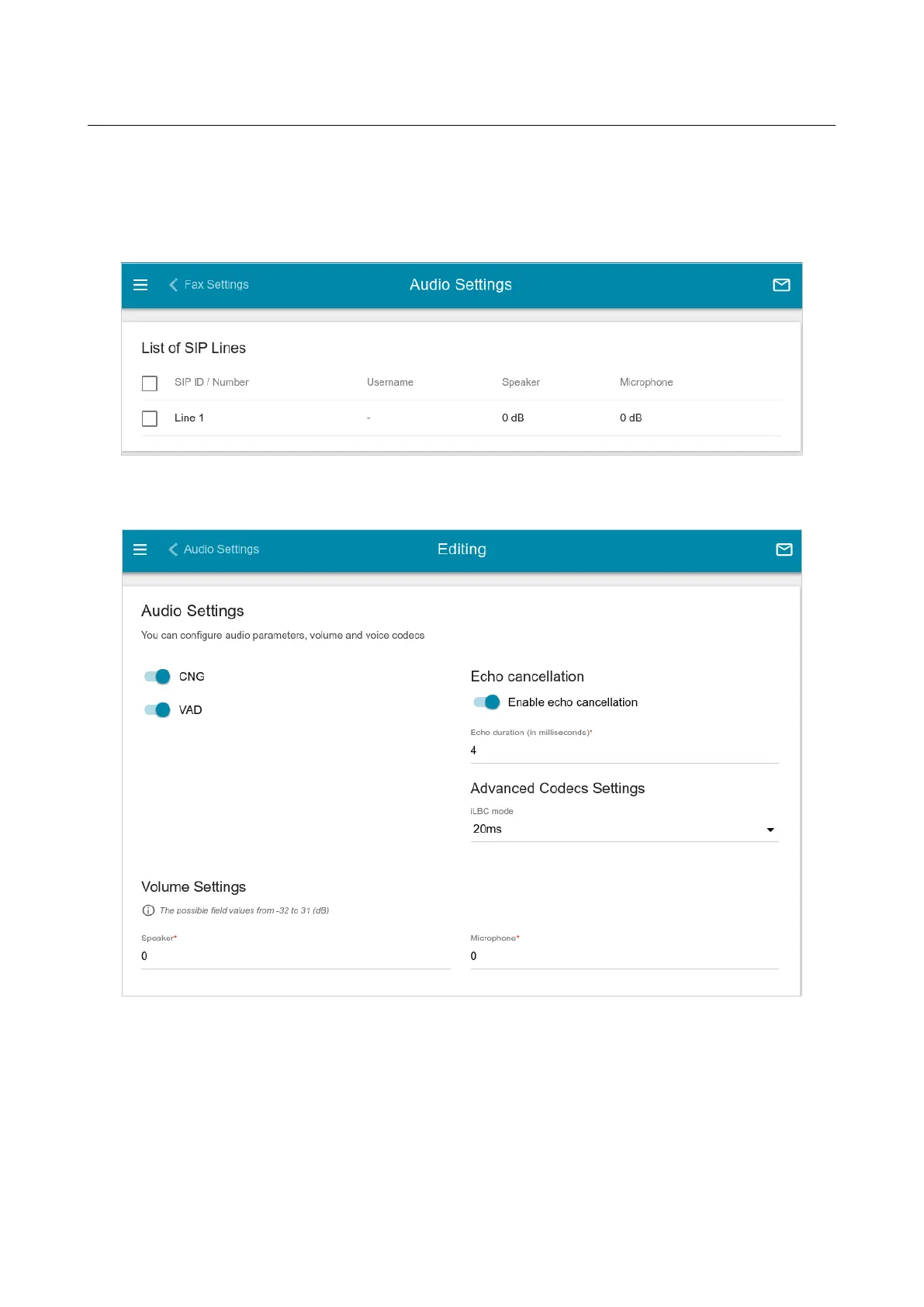
Audio Settings
On the VoIP / Profile Name / Audio Settings page, you can configure audio parameters,
volume and voice codecs.
Figure 190. The VoIP / Profile Name / Audio Settings page.
To change the parameters for a SIP line, select the relevant line in the table.
Figure 191. The page for audio settings for a SIP line.
Page 249 of 311


 To Next Page