DVG-5402G/GF Wireless AC1200 MU-MIMO Dual Band
Gigabit Router with Fiber WAN Port, 3G/LTE Support, 2 FXS
Ports, and USB Port
User Manual
Configuring via Web-based Interface
Advanced Settings
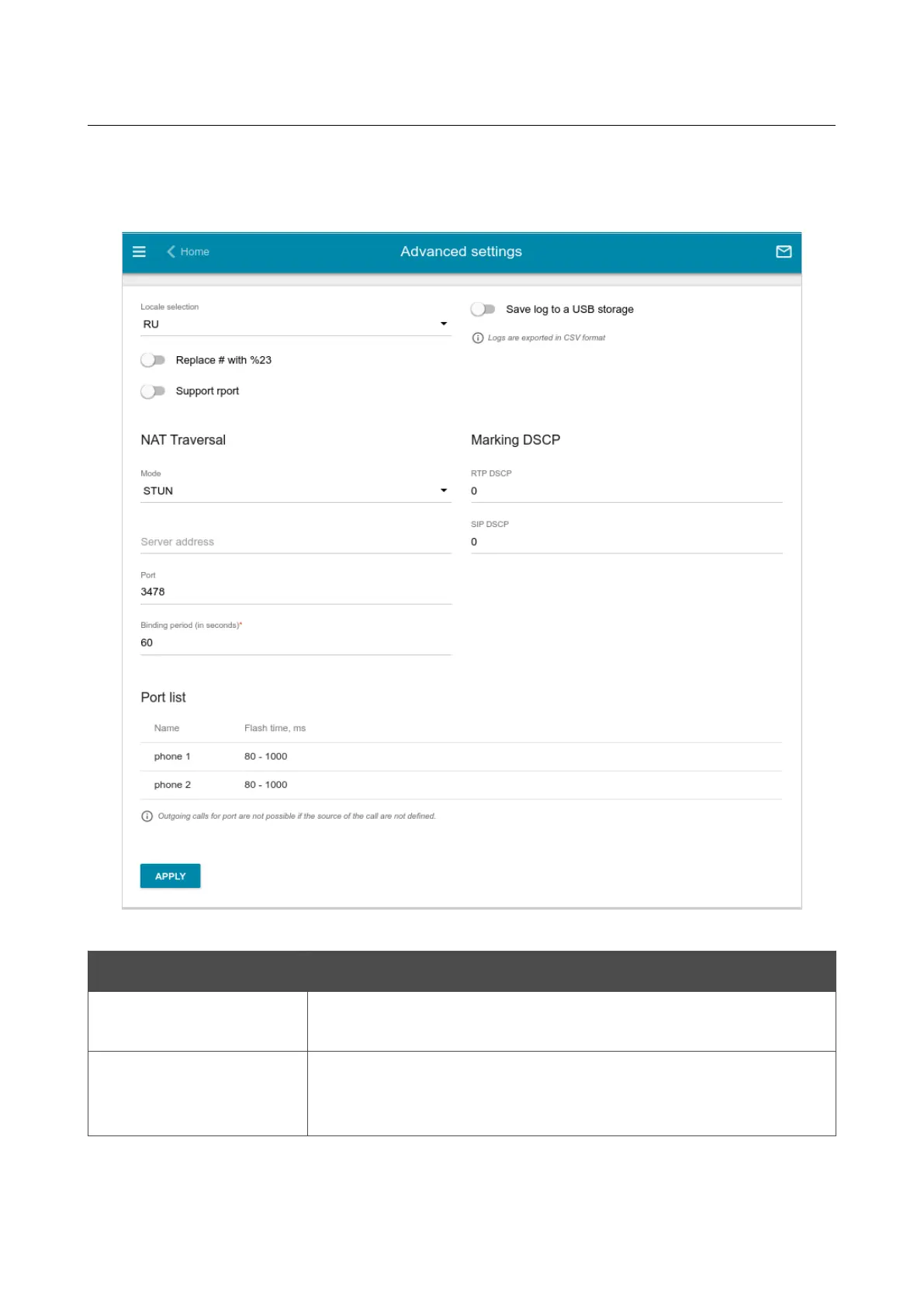
On the VoIP / Advanced settings page, you can specify additional settings for VoIP.
Figure 176. The VoIP / Advanced settings page.
Parameter Description
Locale selection
Select your country from the drop-down list. This setting defines the
parameters of the phone signals traditional for the specific country.
Replace # with %23
RFC3261 doesn't support # (pound) for a phone number. If a phone
number has the character, move the switch to the right to replace the
character # with the special sequence %23.
Page 227 of 311


 To Next Page