Need help?
Do you have a question about the Dahua Technology VTH2421FW-P and is the answer not in the manual?
Explains the meaning of signal words used in the manual.
Lists the version history of the manual.
Details privacy protection requirements for data collection.
Provides general information and disclaimers about the manual.
Specifies requirements for operating the device safely.
Details requirements for safe installation of the device.
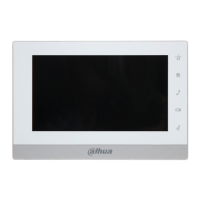
Describes the front panel of various VTH series models.
Details the rear panel of various VTH series models.
Enables connection to Wi-Fi networks.
Allows making video or voice calls to other VTOs and VTHs.
Enables monitoring of fence stations, VTO, and IPC devices.
Mutes all message and call notifications.
Step-by-step process for initializing the VTH directly via the device interface.
Explains how to initialize the VTH using the ConfigTool software.
Describes the main screen interface and its icons.
Guides on customizing the home screen layout and displayed functions.
Details how to view and manage call history.
Explains how to view, add, and edit contacts.
Instructions for initiating calls to other users.
Process for calling users by entering their room number.
Steps to answer calls originating from a VTO.
Instructions for making calls to the DMSS application.
Details how to view and manage security alarm events.
Covers viewing and managing captured video and pictures.
Steps for monitoring a connected VTO device.
Details on how to monitor connected IPC devices.
Displays devices added to the favorites list for quick access.
Allows configuration of VTH ring, VTO ring, alarm rings, and volume.
Configuration options for forwarding incoming calls.
Configuration for wired zones, call linkage, and alarm volume.
Procedure for issuing and managing card information for access.
Configuration steps for connecting to Wi-Fi networks.
Allows setting the area status under different arming modes.
Covers system time, display, password, and other general settings.
Process to change the user password for arm/disarm and unlock.
Setting the network password for adding the VTH to the DMSS app.
Procedure to reset the project settings password.
Configuration of network parameters like IP, subnet mask, and gateway.
Steps to configure VTH as main or sub device, including SSH and security settings.
Procedure for adding and configuring main and sub VTO devices.
Steps to configure the SIP server parameters for communication.
Procedure to restore device parameters to factory default settings.
Procedure to arm the system in different modes (Home, Away, Sleep, Custom).
Procedure to disarm the security system.
Instructions on how to download and install the DSS Agile VDP app.
Steps for registering a new account and logging into the DSS Agile VDP app.
Configuration of call forwarding from VTH to the mobile app.
Describes receiving and answering calls from VTO or management center via app.
Procedure to create a visitor pass with access permissions.
Viewing visitor status, modifying passes, and managing appointments.
Steps to download and install the DMSS app on iOS and Android.
Process for creating a DMSS account and logging in.
Steps to add a VTH device to the DMSS app.
How to configure arming and disarming modes for the VTH via DMSS app.
Procedure for calling a VTH from the DMSS app.
Procedure for calling a VTO from the DMSS app.
How to remotely unlock a door using the DMSS app.
Procedure for monitoring a VTO's live video feed through the DMSS app.
How to view alarm records reported from VTOs and VTHs in the app.
Process for sharing device access with other users via QR code.
Guidelines for creating robust and secure passwords.
Importance of keeping device firmware and client software up-to-date.
Recommendations for physical security of the device and storage.
Advice on regularly changing passwords to enhance security.
Disabling unused services and selecting secure operational modes.
Tips for creating a secure network environment to prevent cyber risks.
 General
| Brand | Dahua Technology |
|---|---|
| Model | VTH2421FW-P |
| Category | Intercom System |
| Language | English |


 To Next Page