Page 41 of 62
SK2014‐SON‐002‐TechMnl‐FMCD‐003
4)Reconnectthecommunicationplugtothecontrolbox
UsingRemoteControlHandsettoSetMasterControlUnit:
a) ConnectalltheunitsPCBsaccordingtothewirecolorandtypeofconnector.
b) SelectthemasterunitbysettingDIPA‐S1SW6toON(=1)inthePCB.
c) EnsuretheDIPA‐S1SW6issettoOFF(=0)inthePCBoneachslaveunit.
d) Switch
ontheunitsbyconnectingthemainpowersupply.
e) Usingthehandsetsettheoperationparametersforthemasterunitwhichwillautomaticallysendthesettings
totheslaveunit.
f) Masterunitwillbeeptwiceconfirmingreceiptofcommandswhiletheslaveunitwillbeeponce.
UsingWall
padtoSetMasterControlUnit:
a) ConnectalltheunitsPCBsaccordingtothewirecolorandtypeofconnector.
b) SelectthemasterunitbysettingDIPA‐S1SW6toON(=1)inthePCB.
c) EnsuretheDIPA‐S1SW6issettoOFF(=0)inthePCBoneachslaveunit.
d) Provide
eachslaveunitwithanaddressablecodebyconfiguringSW1–SW5ofDIPA‐S1accordingtotheDIP
switchsettingtable.
e) Switchontheunitsbyconnectingthemainpowersupply.
f) Using thewallpadsetthe operationparametersforthe masterunitwhich willsendthe
settingtothe slave
unitsbyGlobal‐controlcommunicationorAddressablecommunicationmethods.
g) Masterunitwillbeeptwiceconfirmingreceiptofcommandswhiletheslaveunitwillbeeponce.
MASTER‐SLAVECONTROL
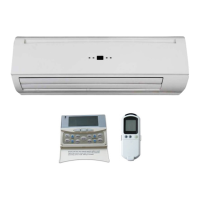
ThecontrolPCBcanreceivedatafrombothwirelessLCDhandsetandwiredwallpad.


 To Next Page