Dakewe (Shenzhen) Medical Equipment Co., Ltd
4.3 Host / Hardware
4.3.1 Installing the Monitor
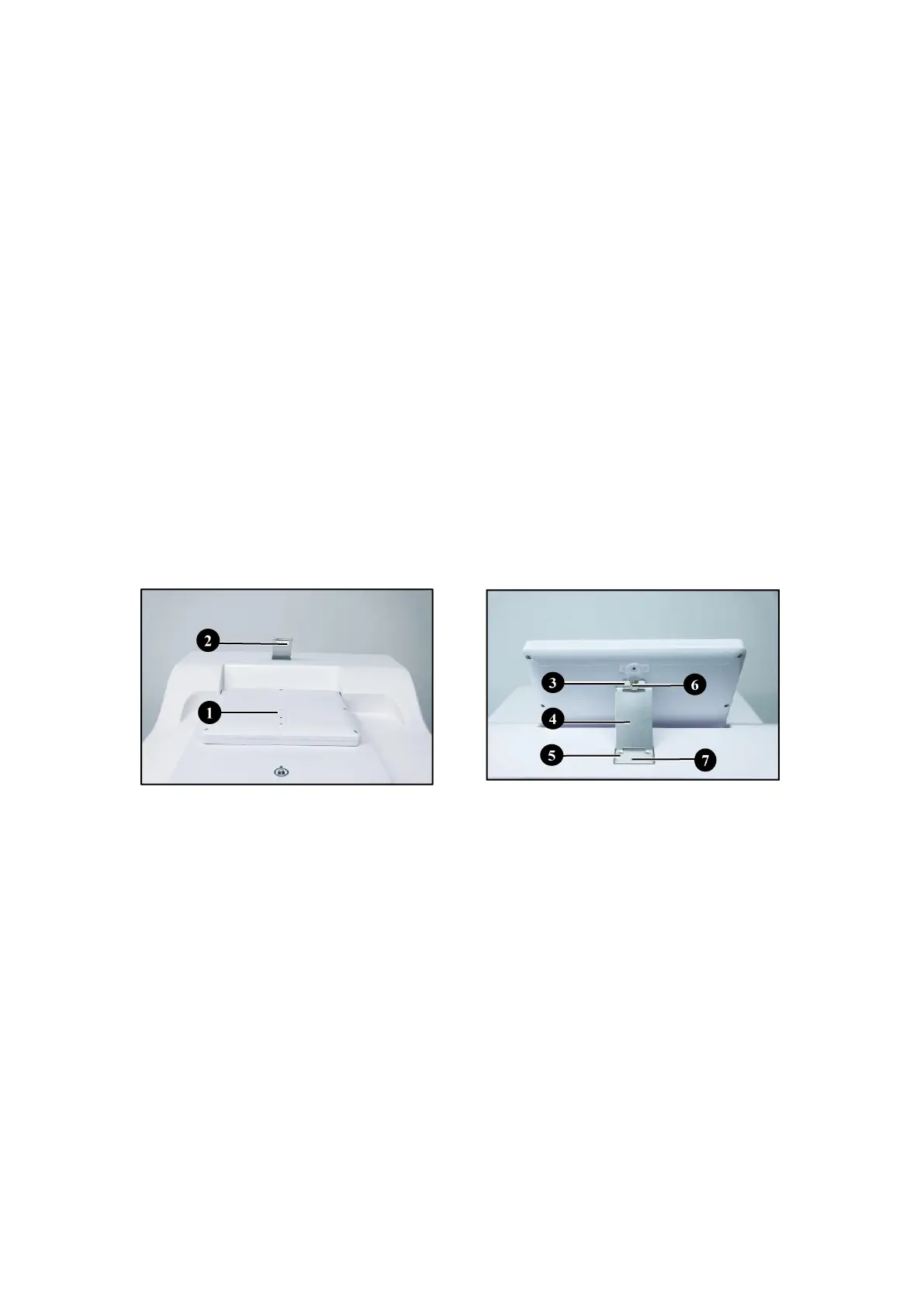
1. The monitor (Figure 10-1) is a flip structure. During delivery, the rear cover of
the strut member has been removed from the surface of the tissue processing
cylinder.
2. Gently rotate the monitor back along the shaft and rest on the slope (Figure
10-2) of the marble cover plate.
3. Remove the monitor’s strut member. The strut member is divided into three
sections, namely upper segmental plate (Figure 10-3), intermediate segmental
plate (Figure 10-4) and lower segmental plate (Figure 10-5).
4. The upper segmental plate is used to lock the monitor. There is a through hole
in the middle of the segmental plate, corresponding to the mounting screw
hole on the back of the monitor. Use hand screws (Figure 10-6) for locking.
5. Install the lower segmental plate in the mounting groove of the marble cover
plate. Use 3 m4 screws (Figure 10-7) for locking.



 To Next Page