Dakewe (Shenzhen) Medical Equipment Co., Ltd
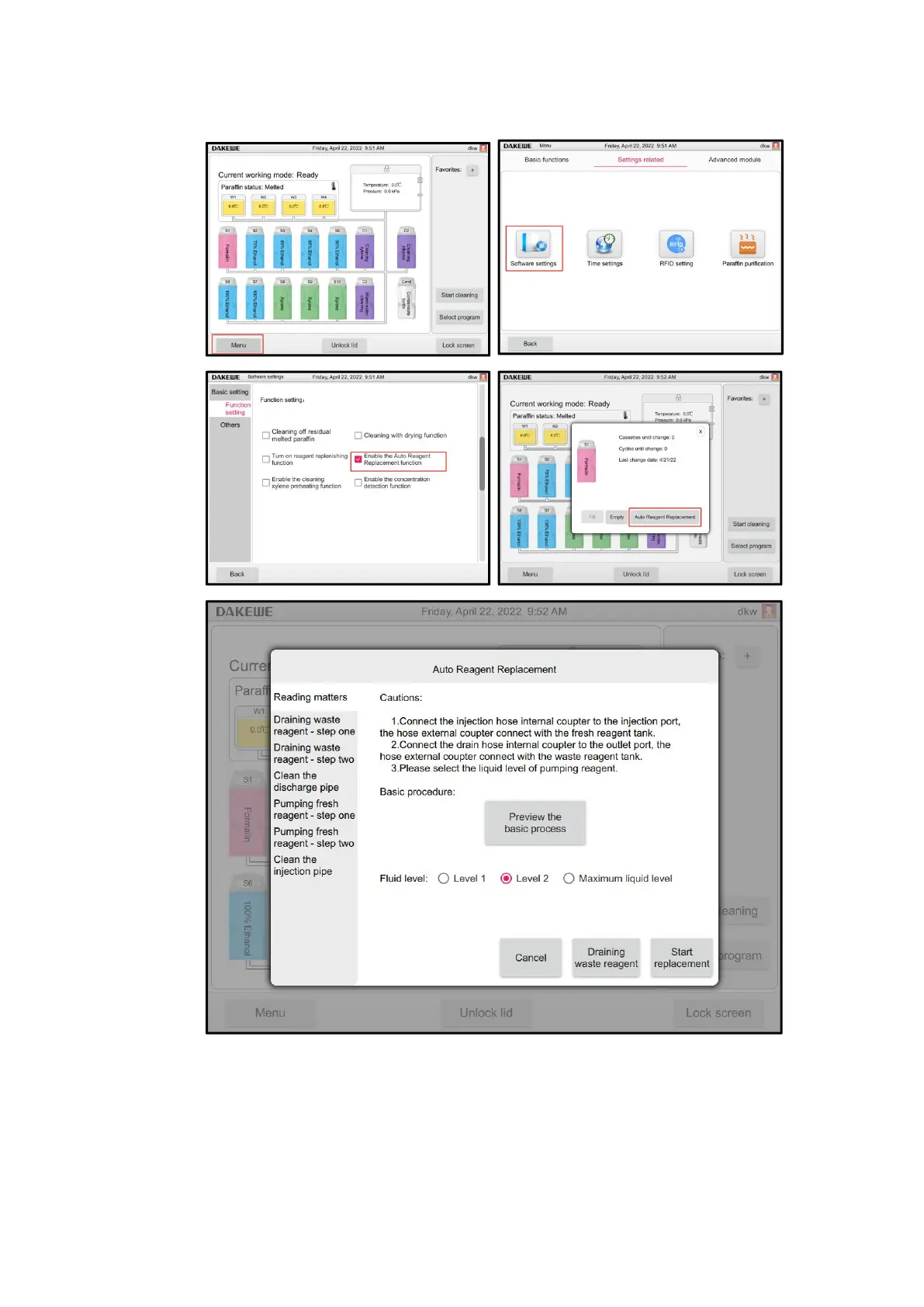
7.3 One-button automatic fluid change
1. Click "Menu" to enter "Software Settings";
2. In the function setting interface, turn on the automatic liquid change function;
3.Return to the main interface, click the label of reagent bottle that needs to be replaced
on the main interface, enter the next level, and click reagent automatic rotation.
4.Select the reagent level, you can change the liquid manually (discharge the old
liquid and refill the new liquid), or "reagent automatic rotation with one-touch away"



 To Next Page