Dakewe (Shenzhen) Medical Equipment Co., Ltd
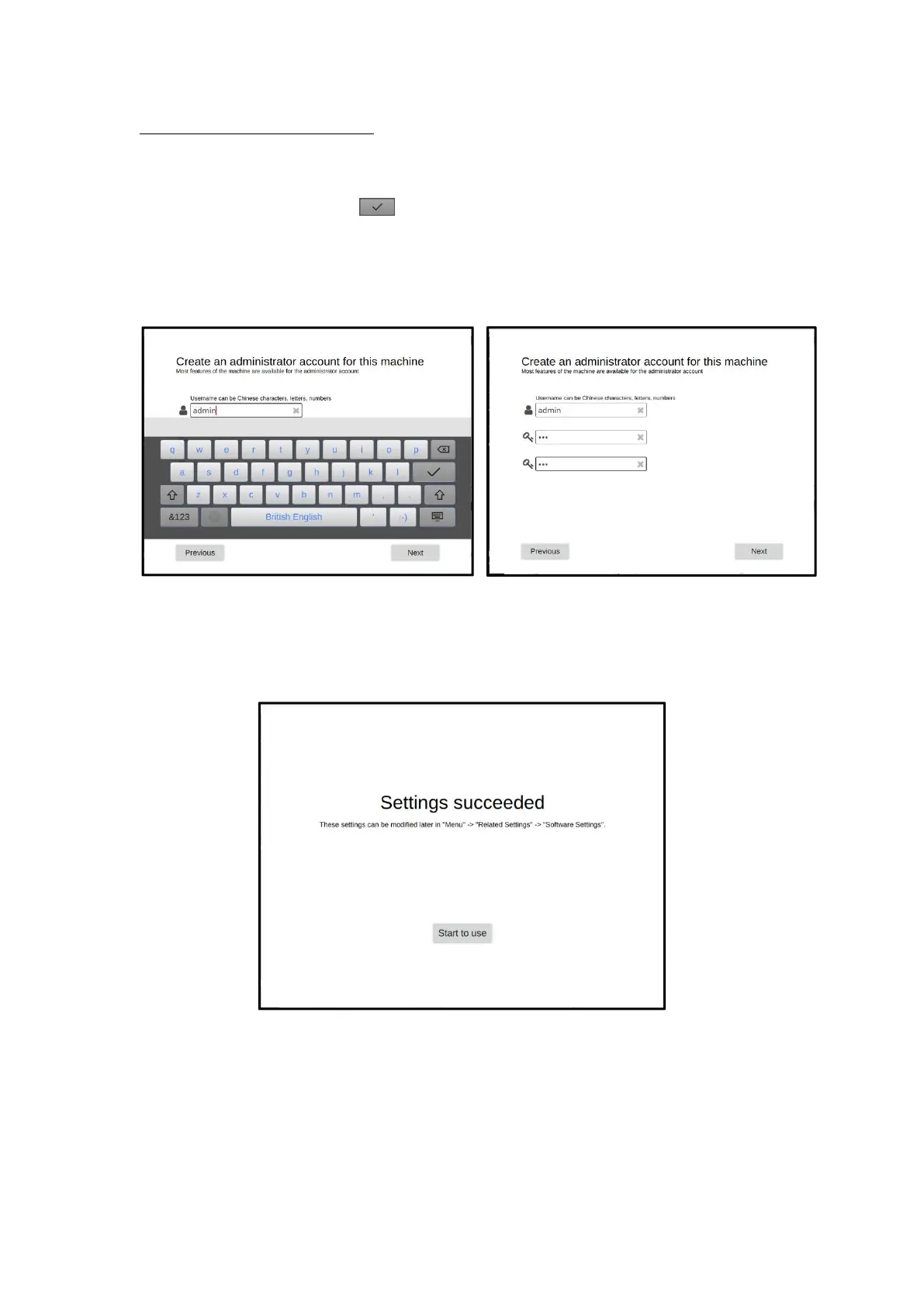
3. Administrator account creation
You need to create an administrator account for the first login:
(1) Click to select the input field of "Please enter user name", and a soft keyboard will pop up;
(2) Enter the user name, click " " to exit the soft keyboard after confirmation;
(3) Select the "set password, confirm password" input field in turn to pop up the soft keyboard,
enter the set password. The password should be 1-20 digits;
(4) Click the "Next" button to complete the creation of an administrator account.
(a)Enter your user name (b)Successfully created admin user
After completing the above settings, the interface displays "Setup successful", that is, the
common related configuration for the first use is completed. Click "Start to use" to start using the
device.
Setup success page
4.7 Touch Screen Functions
4.7.1 Screen lock
The system defaults that the device does not receive any operation within 10



 To Next Page