Dakewe (Shenzhen) Medical Equipment Co., Ltd
5.Instructions before use
5.1 Access Level
5.1.1 Device Status Indicatio
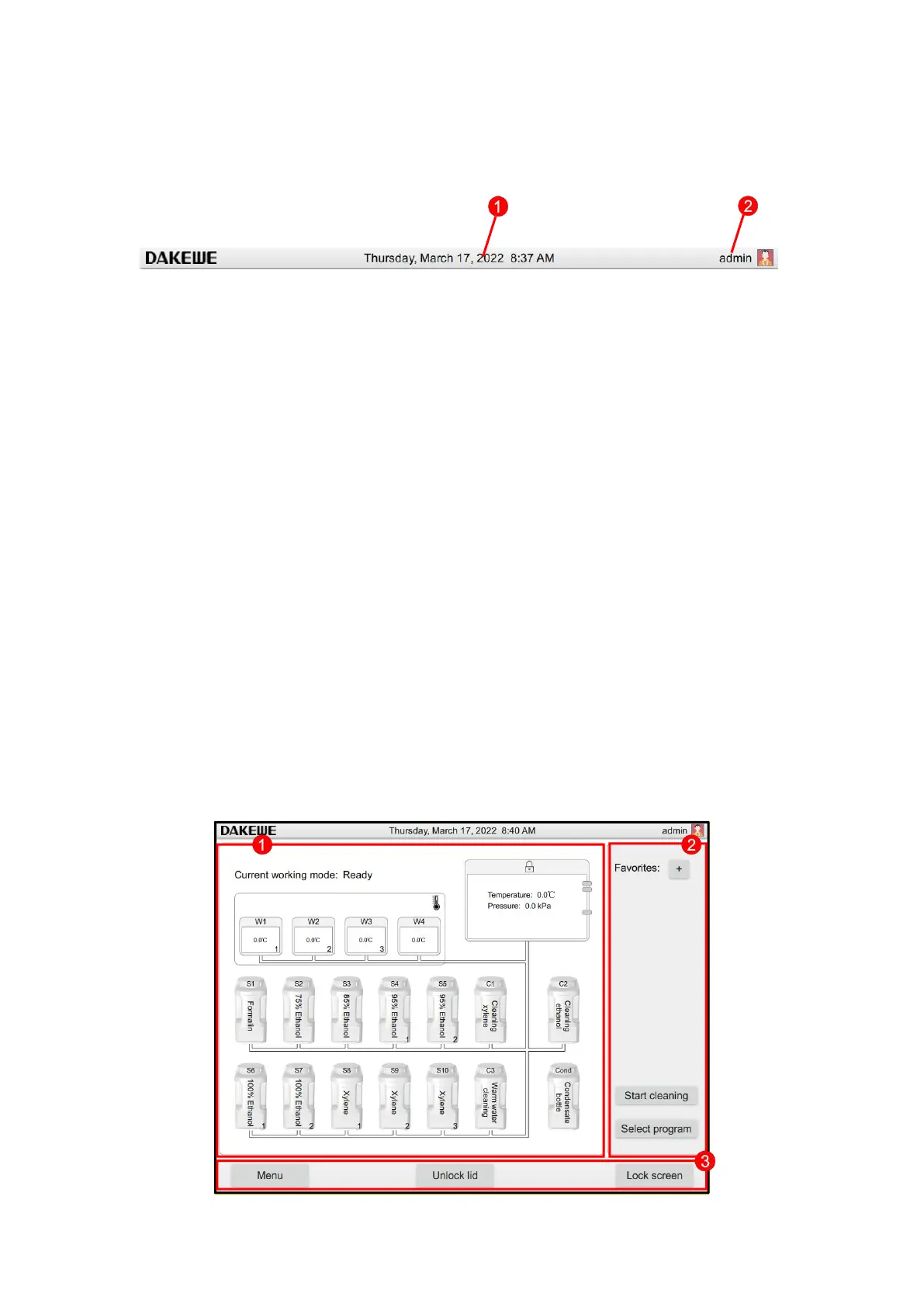
The following information is displayed on the status bar:
1. Current date (Figure 26-1). For current date setting, refer to 5.3.2.1.
2. Active user name and symbol (Figure 26-2). There are three user levels,
namely common user (default level), administrator user and manufacturer user.
For user level switching, refer to 5.1 “Access Level”.
3. The currently logged-in user name and its own authority icon, there are three
authority levels, ordinary user, administrator user, factory user. To switch the
user level, please refer to Chapter 5, Section 2 "Access Level".
4. Prompt message area: The system will display the device status information in
the user’s operation process in a pop-up window in the central area at the top
of the screen. It will automatically disappear after a few seconds.
5.1.2 Main Interface



 To Next Page