Dakewe (Shenzhen) Medical Equipment Co., Ltd
6.3.1.1 Reagent usage
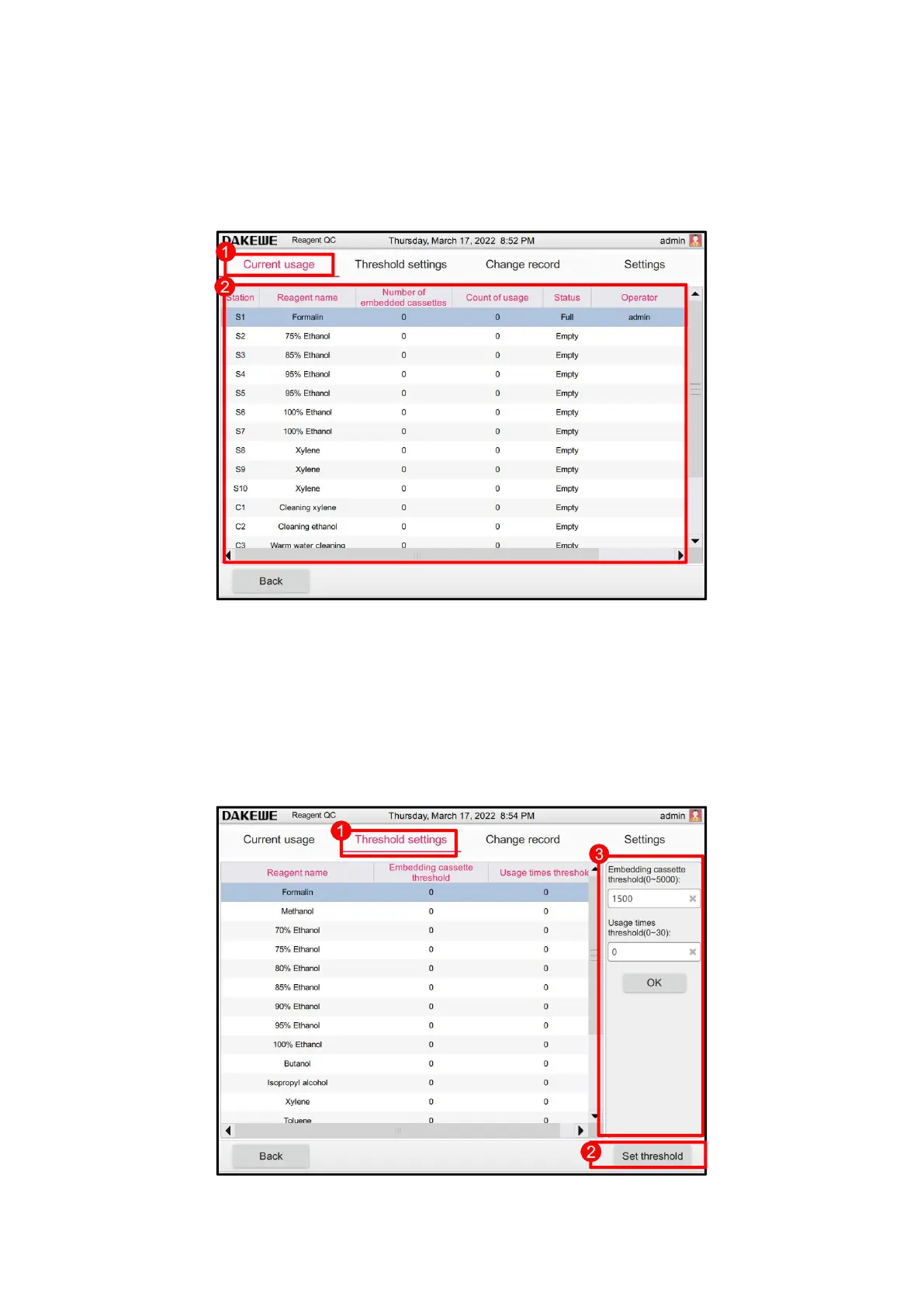
Touch the “Current Usage” column (Figure 60-1). The system provides the query information on
the number of cassettes for the reagent in each site, number of dehydrations, number of days after
replacement, current site status, operator and replacement time (Figure 60-2).
6.3.1.2 Threshold setting
Touch the “Threshold Setting” column (Figure 61-1). Touch to select any reagent. Then, click the
“Threshold Setting” button (Figure 61-2). The threshold setting item of the reagent (Figure 61-3)
is displayed on the right, including the cassette threshold, threshold of dehydration times and
threshold of dehydration days. Enter the threshold in the corresponding setting item. Click OK to
finish setting the reagent threshold.



 To Next Page