Dakewe (Shenzhen) Medical Equipment Co., Ltd
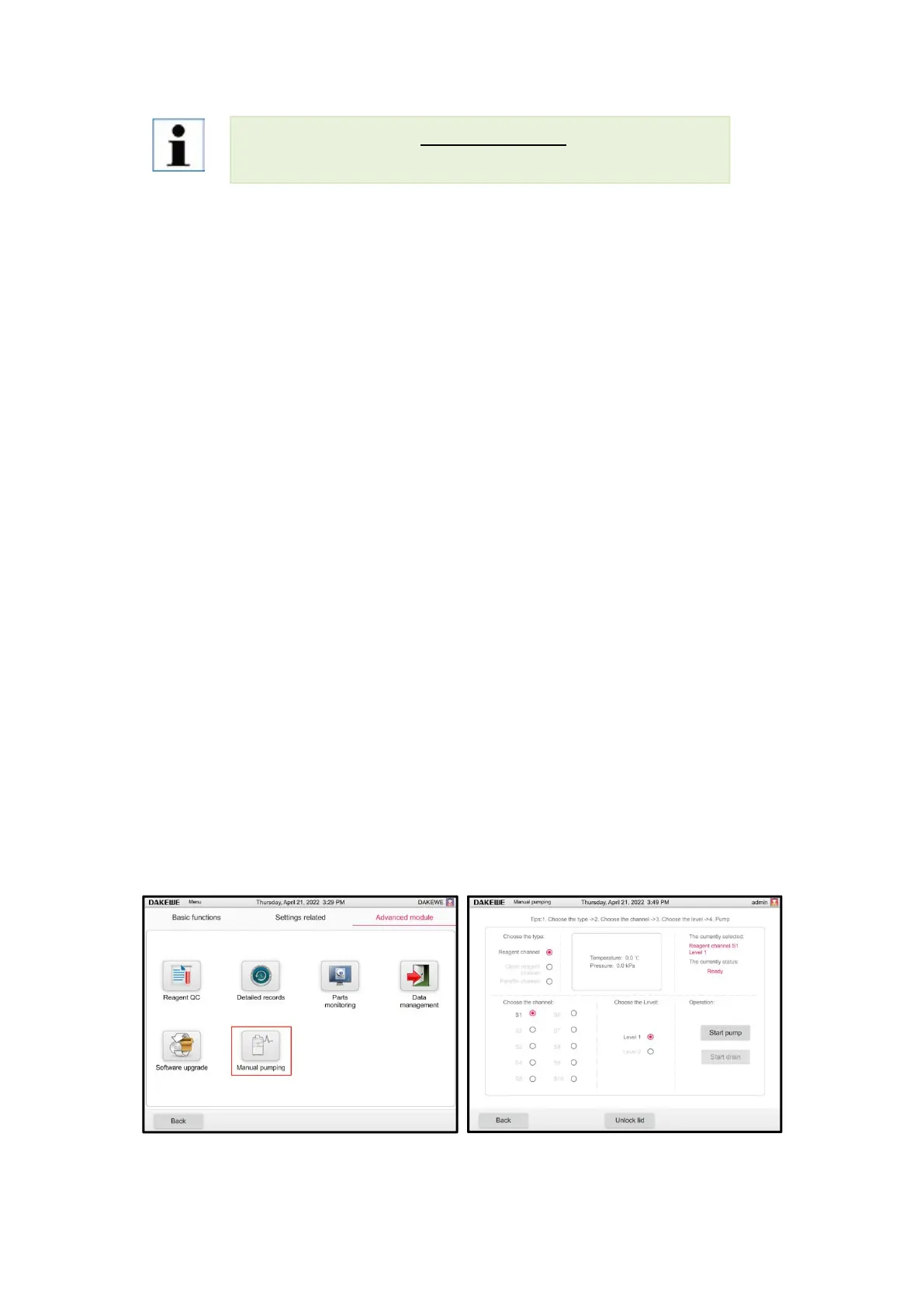
6.3.5 Manual pumping
In the ready state, click "One-touch drain" from menu-Settings to enter the one-touch drain
interface. Select pipeline type - pipeline - liquid level height and drain reagent to check the risk of
the pipeline.
The user can fill and drain for three types of pipes: reagent pipes, cleaning pipes and paraffin
pipes.
Reagent pipes include S1-S10, cleaning pipes are C1 and C2, and paraffin pipes include W1-W4.
In addition, it is necessary to select the liquid level to be extracted, including liquid level 1 and
liquid level 2.
Users cannot click any button on the interface to perform other operations in the process of
pumping and draining liquid.
Paraffin is pumped and drained to detect whether the temperature of the retort reaches 63°C. If not,
the retort will be automatically preheated.
After using the paraffin pipe, click the back button or run the pumping of other pipes, then the user
will be forced to carry out standard cleaning.
The states under the one-touch pumping and draining function module mainly include: ready,
pumping, draining, pumping completed, reagents insufficient, preheating, pipe blocking
The instrument only supports FAT32 format USB Disk.
If the export fails, try to re-export or replace the USB memory after restart.



 To Next Page