Dakewe (Shenzhen) Medical Equipment Co., Ltd
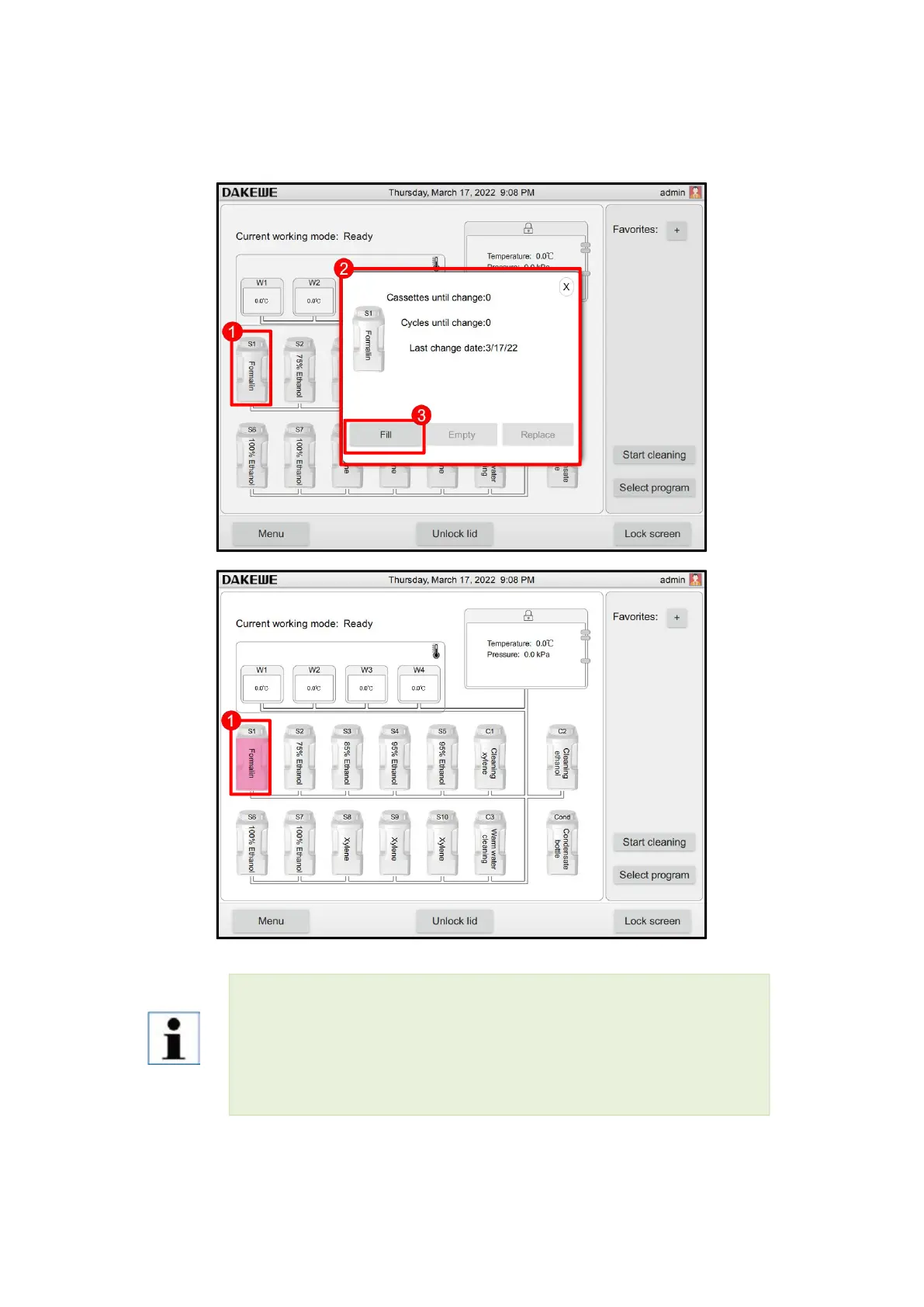
6. Data reset in the system’s main interface window (Figure 67-4): Click the S1 site
icon (Figure 67-1). The filling window pops up (Figure 67-2). After clicking “Fill”
(Figure 67-3), click “×” in the upper right corner to exit.
Check the reagent liquid level in the reagent bottle on a flat surface. Be sure to keep the
line of sight at the same height as the reagent liquid level to ensure that the reagent
volume does not exceed the maximum liquid level, nor does it fall below the minimum
liquid level. Insufficient reagents may cause the sample to dry out because it is not
sufficiently submerged.



 To Next Page