
EasyManua.ls Logo

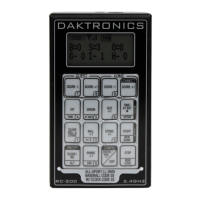
Daktronics RC-200 - User Manual

Daktronics RC-200
80 pages
Print Icon
To Next Page IconTo Next Page
Loading...
201 Daktronics Drive
Brookings, SD 57006-5128
www.daktronics.com/support
800.325.8766
REMOTE CONTROL SYSTEM
RC-200
ALL SPORT OPERATION
MANUAL
P1110
DD3572889
Rev 00
18 May 2018

Table of Contents

Questions and Answers

  • K
    Kevin RowlandAug 3, 2025
    What to do if Daktronics RC-200 shows 'NO SERVER FOUND'?
    • E
      elizabethstoutAug 3, 2025
      If your Daktronics Remote Control displays 'NO SERVER FOUND', it means the wireless handheld couldn't find a server on the specified broadcast group and channel. Ensure the wireless Base Station is powered on and set to the correct broadcast group and channel. Also, verify the handheld is within the specified range. If the issue persists, press to retry the connection or press to set a different broadcast group and channel.
  • K
    Katelyn LeeAug 14, 2025
    What to do if Daktronics RC-200 shows 'NO RESPONSE'?
    • T
      Tammy AguilarAug 14, 2025
      If your Daktronics Remote Control displays 'NO RESPONSE', it means the handheld found a server but didn't get a response. First, ensure the handheld is within the specified range. Then, cycle power to the wireless Base Station and try again. Also, make sure no other wireless Base Stations are within range on the same group or channel. If needed, try a different group/channel. You can also press to retry the connection or press to set a different group/channel.
  • L
    Lance JordanAug 25, 2025
    Why does my Daktronics RC-200 say 'ERROR - THIS CHANNEL IN USE'?
    • C
      Chelsey BurtonAug 25, 2025
      The 'ERROR - THIS CHANNEL IN USE' message on your Daktronics Remote Control indicates that another wireless handheld is already connected to the Base Station, and the application doesn't support multiple handhelds. To resolve this, power off any other unused handheld units on the same channel in the area.

Summary

Introduction and System Overview

Daktronics Exchange and Repair Programs

Services for replacing key components and returning items for repair.

RC-200 System Overview

Details the RC-200 system's hardware components and their functions.

Important Safeguards and Specifications

Essential safety guidelines, operating temperatures, and product specifications.

RC-200 Handheld Controller Operation

Powering, Battery, and Charging

Instructions for powering on/off, battery status, idle time, and recharging.

Configuration and Connection Modes

Setting broadcast groups, channels, contrast, and connecting to Base Station.

Common and Alternate Keypad Functions

Explains frequently used keys and their secondary functions.

All Sport Application Functions

Selecting Applications and Keypad Inserts

How to select sport codes and use specific keypad inserts for various sports.

Common All Sport Application Keys

Describes keys common across various All Sport applications like New Code/Game.

Specific Sport Operation Details

Detailed controls for Clock/Score, Volleyball, Baseball, Tennis, etc.

Troubleshooting and Appendices

Error Messages and Troubleshooting

Guidance for resolving handheld controller and base station errors.

Reference Drawings and Sport Inserts

Lists of system diagrams, sport inserts, and their associated drawing numbers.

Daktronics Warranty Information

Details the warranty coverage and limitation of liability for the equipment.

Daktronics RC-200 Specifications

General IconGeneral
ModelRC-200
ManufacturerDaktronics
CategoryRemote Control
TechnologyInfrared (IR)
Power SourceBattery
CommunicationInfrared (IR)
KeypadMembrane