All Sport Applications
15
Auto Horn
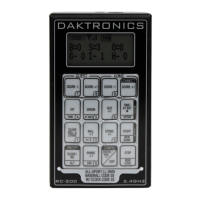
Use the <AUTO HORN •> key (Figure 21) to set whether the horn sounds
automatically when the main clock reaches 0:00.
Applies to: Basketball, Clock/Score, Football, Segment Timer
Note: For Football, Auto Horn is an alternate (<ALT>) function.
Display Action
AUTO HORN-ON {
1-ON, 2-OFF
Press <AUTO HORN •> and then press <1> or <2> to select ON
(default) or OFF.
When Auto Horn is enabled, a small ‘h’ will appear under the clock direction arrow on
the LCD. Figure 22 shows an example where the clock is counting down and the auto
horn is enabled.
SPORT
INSERT/CODE #
SPORT
INSERT/CODE #
AUTO
HORN
9
1
Primary Function
Alternate Function
3
54
2
Figure 21:
Auto Horn Key
Figure 22: Auto Horn Indicator


 To Next Page