All Sport Applications
11
Keypad Inserts
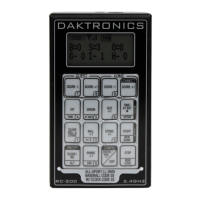
Keypad inserts allow a single console to control multiple sports and applications. Select
the proper insert from the chart below and slide it into the opening on the bottom of
the controller until it stops. To remove an insert, pull on the tab that extends from the
controller.
If an insert is lost or damaged, a copy of the sport insert drawing, located in Appendix B,
can be used until a replacement can be ordered.
Sport/Application Insert Number Code
Clock/Score LL-2613 01
Volleyball 0G-239304 02
Baseball LL-2605 03, 23
Play Clock / Pitch Timer LL-2653 05
Segment Timer LL-2613 06
Tennis LL-2607 08
Sand Volleyball LL-2607 09
Basketball LL-2632 10
Football 0G-1031603 61, 62
Remote Start/Stop 0G-319079 98
Goal Judge LL-2663 99
Judge’s Console (CAN) LL-2606 N/A
Rodeo (CAN) LL-2608 N/A
Keypad Insert Operation Concepts
A keypad insert identies the keys required for normal operation of a specic sport or
application. In most cases, pressing a key immediately changes the scoreboard/display.
Keys that require entry of additional information are marked by a dot, (such as
<SET TIME •>). This additional information is usually a number followed by the <ENTER> key.
Some keys are labeled +1. Pressing one of these keys once “increments”, or increases,
the corresponding eld on the scoreboard by one (such as score or period). A key with
-1 “decrements”, or decreases, by one.
On some inserts, certain keys have been grouped together under the heading HOME
or GUEST. These keys are team keys and work the same for both teams. They affect the
statistics only for that one team. Keys not under one of these headings are Game keys.
They are general keys for the progress of the game (such as period or quarter). Other
keys may be grouped in a similar way to emphasize that they work together.


 To Next Page