EasyManua.ls Logo

Data Aire DAP III - User Manual

Data Aire DAP III
94 pages
Print Icon
To Next Page IconTo Next Page
Loading...
Data Alarm Processor-III
DAP™ III
Operation Manual
Data Aire, Inc.
230 W. BlueRidge Avenue
Orange, CA 92865
www.dataaire.com
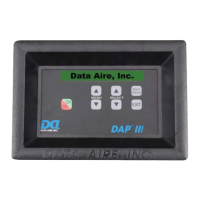
Unit Mounted DAP III
Wall Mounted DAP III
U
nit Mounted DAP I
II

Other manuals for Data Aire DAP III

Questions and Answers

  • E
    Elizabeth JohnsonAug 16, 2025
    How to fix Data Aire DAP III when there is no power?
    • G
      Gina HurstAug 16, 2025
      If your Data Aire Security System panel isn't powering on, try these steps: First, ensure the disconnect switch is turned to the ON position. Next, check that the hard power ON/OFF switch is also set to ON. After that, inspect the remote shutdown contact and verify the P5 connections on the DAP-III Control Module. Also, check and reset the circuit breaker on the transformer. Finally, replace the fuse with a 2 amp fuse if necessary.
  • D
    Dr. Nathan MillerAug 19, 2025
    What to do if the blower does not come on in Data Aire DAP III?
    • A
      ashleyorrAug 19, 2025
      If the blower in your Data Aire Security System isn't starting, check the connections on the plugs or cable (P5-3, P5-4, P6-1). Replace the F2 RELAY fuse on DAP III with an 8 amp fuse if it's blown. Ensure all manual override switches are OFF, and the manual override switch for the blower is ON. Finally, reset the smoke detector if it has been activated. You can also use manual diagnostic Relay Test to check if the panel is operating in manual override.
  • K
    Kelsey PalmerAug 22, 2025
    Why won't the compressor(s) turn on in my Data Aire DAP III?
    • D
      Dominique SpencerAug 22, 2025
      If the compressor(s) in your Data Aire Security System aren't starting, several factors could be at play. First, verify the temperature setpoint and deadband to ensure there's a call for cooling. If the cooling stages are in a short-cycle time delay, wait 5 to 10 minutes or reset the panel. Correct any no airflow alarm. Check the settings on sub-menu 5-4 to ensure the compressor menu is configured correctly. Use compressor manual override switches to test if the panel is operating in manual override. Replace the F2 RELAY fuse of DAP III with an 8 amp fuse if it's blown. Reset the smoke detector if it has been activated. The panel might be inhibited until the return air temperature is below the firestat limit, check menu 4-6.
  • M
    Mary MccoyAug 26, 2025
    What to do if Data Aire DAP III Security System shows self test failures?
    • D
      Daniel BentonAug 26, 2025
      If your Data Aire Security System is showing self-test failures, it could be due to several reasons. If the historical memory is empty, press 'Select'. Check the 24 VAC power and reset the panel if the power is low. Inspect the battery and replace it if it's lower than 2.8 V or disconnected. Check the connections on P8 for looseness or sensor problems. Also, ensure that the cover isn't pressing on any buttons, as faulty buttons can trigger this issue.
  • M
    Mary TrujilloAug 28, 2025
    How to troubleshoot Data Aire DAP III when compressor un-loader does not come on?
    • K
      Kristin HamiltonAug 28, 2025
      If the optional compressor un-loader for cool 3 and cool 4 isn't activating on your Data Aire Security System, start by checking the temperature setpoint and deadband to ensure there's a call for 3rd or 4th stage cooling. Verify the settings in sub menu 5-4, ensuring it's set for primary/secondary-primary/secondary in the compressor menu. Check the manual override switches to ensure the panel isn't in manual override. Finally, use the manual test relays test to check the cool 3rd stage K10 relay, referring to sub menu 9-3.
  • E
    Elizabeth CraigAug 31, 2025
    What to do if Data Aire DAP III operates but there is no display?
    • H
      Harold DavidsonAug 31, 2025
      If your Data Aire Security System is operating but the display is blank, turn the panel OFF. Check the CAT 5 cable that plugs into the PC board to ensure it is not loose. Then, turn the panel back ON.
  • J
    Joseph LawsonSep 3, 2025
    What causes a temperature sensor problem alarm on Data Aire Security System and how to fix it?
    • J
      Julie ScottSep 3, 2025
      If the temperature sensor problem alarm is activated on your Data Aire Security System, it might be due to loose connections on P-8. Check the connections and cable, specifically P8-4 & P8-5.
  • S
    Stacey HernandezSep 6, 2025
    What should I do if the humidity sensor alarm is activated on my Data Aire DAP III?
    • S
      Suzanne LopezSep 6, 2025
      If the humidity sensor problem alarm is activated on your Data Aire Security System, check the connection and cable (P8-1, P8-2 and P8-3) for any looseness.
  • Q
    qbaileySep 9, 2025
    How to adjust display brightness on Data Aire DAP III Security System?
    • E
      Elizabeth MerrittSep 9, 2025
      If the display on your Data Aire Security System is too dim or too bright, it may be due to an improper LCD adjustment. Adjust the LCD pot, RP2, on the PC board located next to the LCD.
  • H
    Henry OconnorSep 12, 2025
    Why compressor(s) do not come on - continued in Data Aire DAP III?
    • P
      powellpeterSep 12, 2025
      If the compressor(s) still don't come on, reset the smoke detector in case the alarm has been activated. Another possibility is that the panel is inhibited until the return air temperature is below the firestat limit; refer to menu 4-6.

Summary

Data Alarm Processor III (DAPTM III) Overview

DAP III Unit Types

Overview of unit mounted and wall mounted versions of the DAP III control system.

DAP III System Features

Standard & Operational Features

Core functionalities and performance control features of the DAP III system.

Diagnostic, Service & Safety Features

Features for system diagnostics, service, protection, and safety.

Display Panel Information

Details on conditions, data, and functions displayed on the panel.

DAP III Controls and Navigation

Modes of Operation & Buttons

Explanation of operational modes and the function of each control button.

Manual Override Switches

Information on manual override switches for component control.

System Configuration and Menus

Programmable Selections & Menu Structure

Overview of user settings and the system's menu organization.

Menu Group Configuration (Setpoints, Alarms, Network)

Configuration details for Setpoints, Alarms, and Network menu groups.

Menu Group Configuration (Calibration, Diagnostics)

Configuration details for Calibration and Diagnostics menu groups.

System Testing and Logic

Automatic Diagnostic Self-Test

Procedure and interpretation of the automatic self-test performed on startup.

Control Logic Explained

Detailed explanation of the system's internal operational logic.

Fan Speed Control Modes

Configuration and operation of fan speed control for CW and DX units.

Troubleshooting and Maintenance

Troubleshooting Common Issues

A guide to diagnosing and resolving common problems and error messages.

Software Upgrade Process

Step-by-step instructions for upgrading the DAP III software.

Hardware Identification

Identification of module pin assignments and terminal strip connections.

Data Aire DAP III Specifications

General IconGeneral
BrandData Aire
ModelDAP III
CategorySecurity System
LanguageEnglish

Related product manuals