D-500 MK2 User Manual Firmware V-6.3
- 150 -
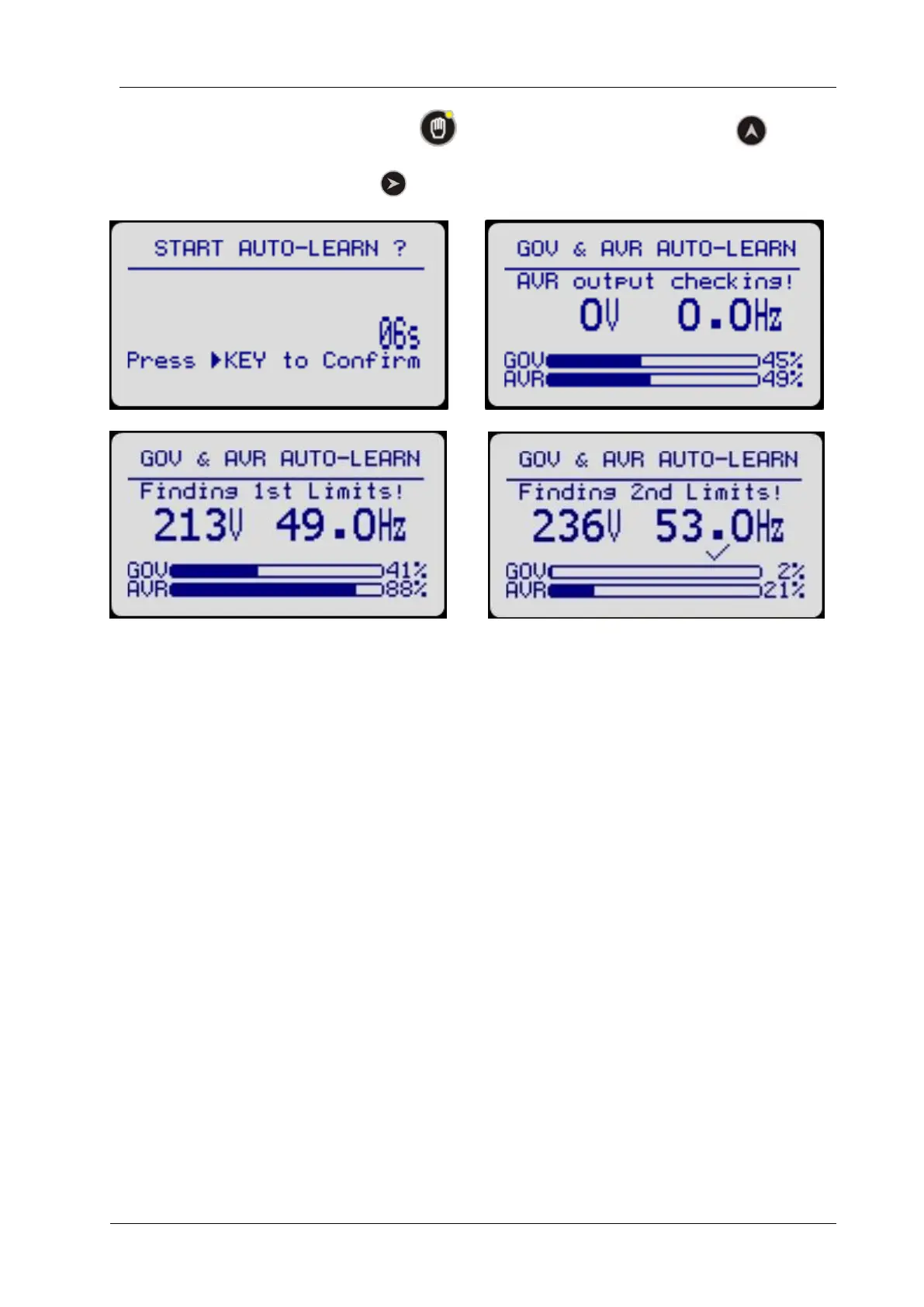
To activate Auto Learning, push MAN button and then hold pressed Up Arrow button .
The unit will ask for confirmation. Push button to start Auto Learning operation.
Auto learning is completed successfully. The controller will force the genset to its nominal speed and
voltage.
There will be no need to adjust any governor or AVR limits, neither PID coefficients. All is adjusted to
gurantee smooth synchronization and load share.



 To Next Page