D-500 MK3 User Manual Firmware V-14.2
- 14 -
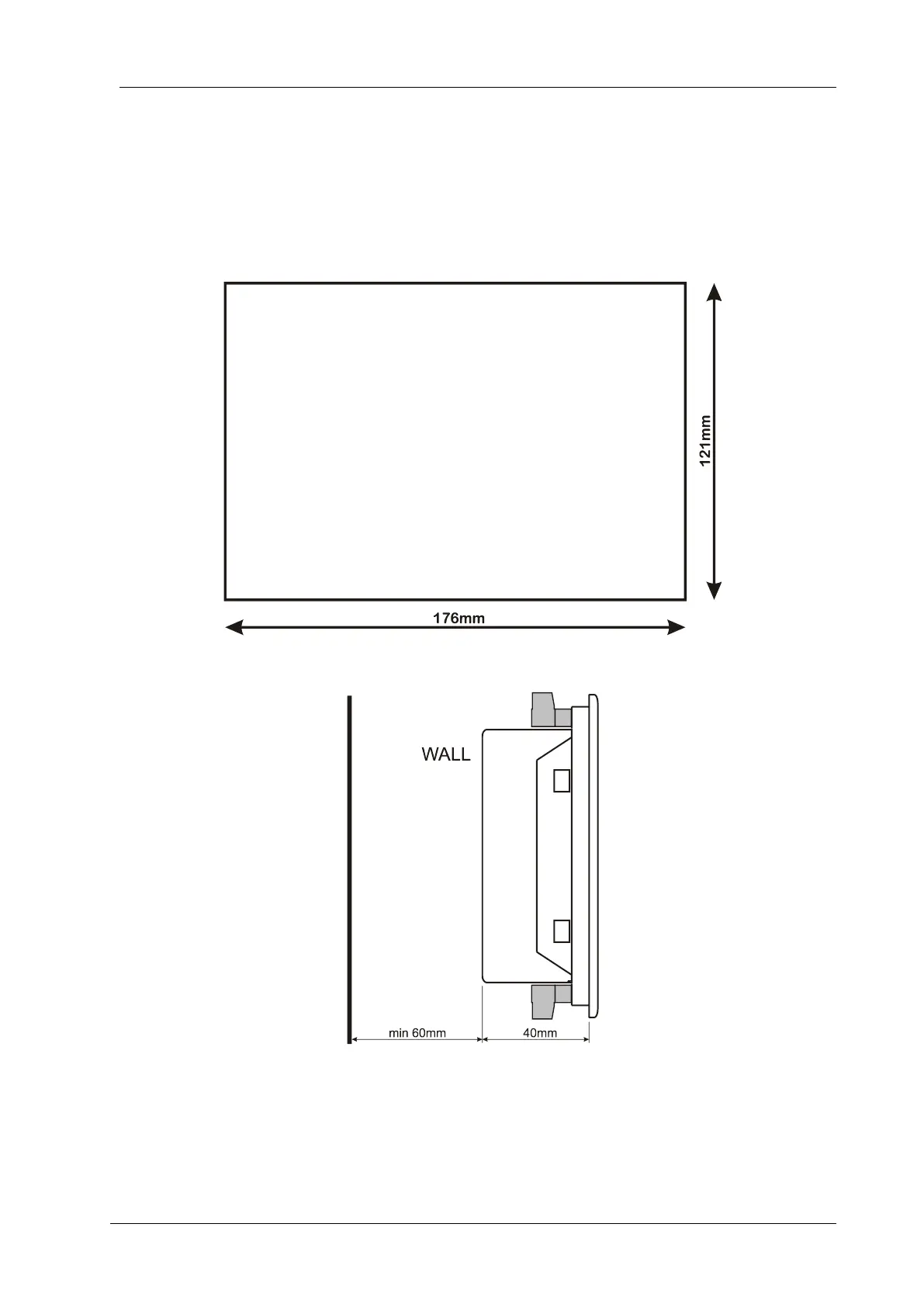
The unit is designed for panel mounting. The user should not be able to access parts of the unit other
than the front panel.
Mount the unit on a flat, vertical surface. Before mounting, remove the mounting brackets and connectors
from the unit, then pass the unit through the mounting opening.
Place and tighten mounting brackets.
Panel Cutout
Required Panel Depth



 To Next Page