D-500 MK3 User Manual Firmware V-14.2
- 97 -
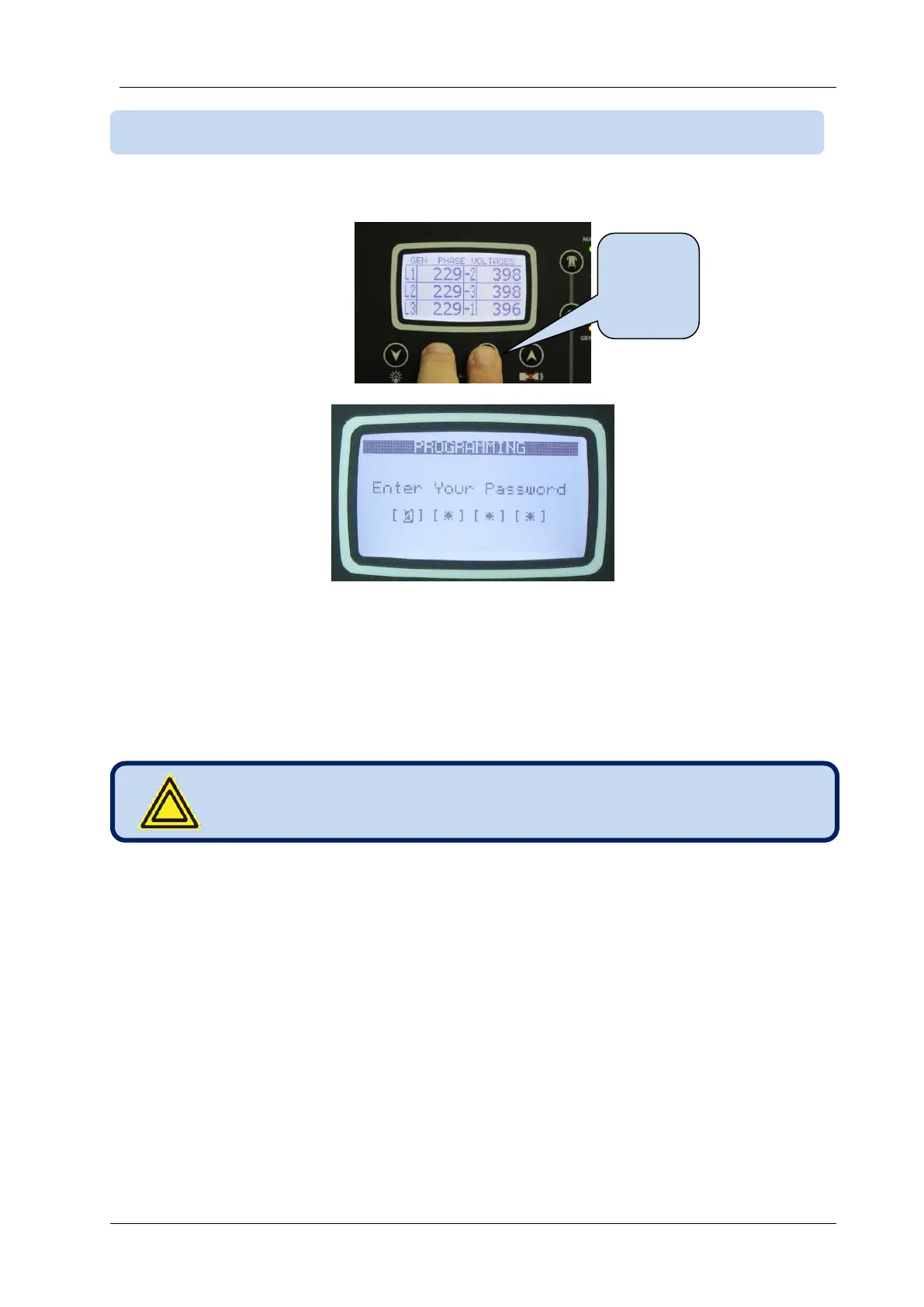
To enter the program mode, press together ◄MENU and MENU►buttons for 5 seconds.
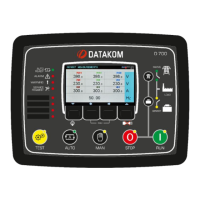
When the program mode is entered, below password entry screen will be displayed.
A 4 digit password must be entered using ▼, ▲ , MENU► and ◄MENU buttons.
The ▼, ▲buttons modify the value of the current digit. The MENU►, ◄MENU buttons navigate
between digits.
The unit supports 3 password levels. The level_1 is designed for field adjustable parameters. The level_2
is designed for factory adjustable parameters. The level_3 is reserved. It allows recalibration of the unit.
The password level-1 is factory set to ‘1234’ and the password level-2 is factory set to ‘9876’.
If a wrong password is entered, the unit will still allow access to the program parameters, but in read-only
mode.
If password “0000” is entered, only EVENT LOG file will be available.



 To Next Page