AP25 Installation and Operating Guide Page 101
AP25 Installation & Operating Guide Document # 9301H79500 Ver. 1.00
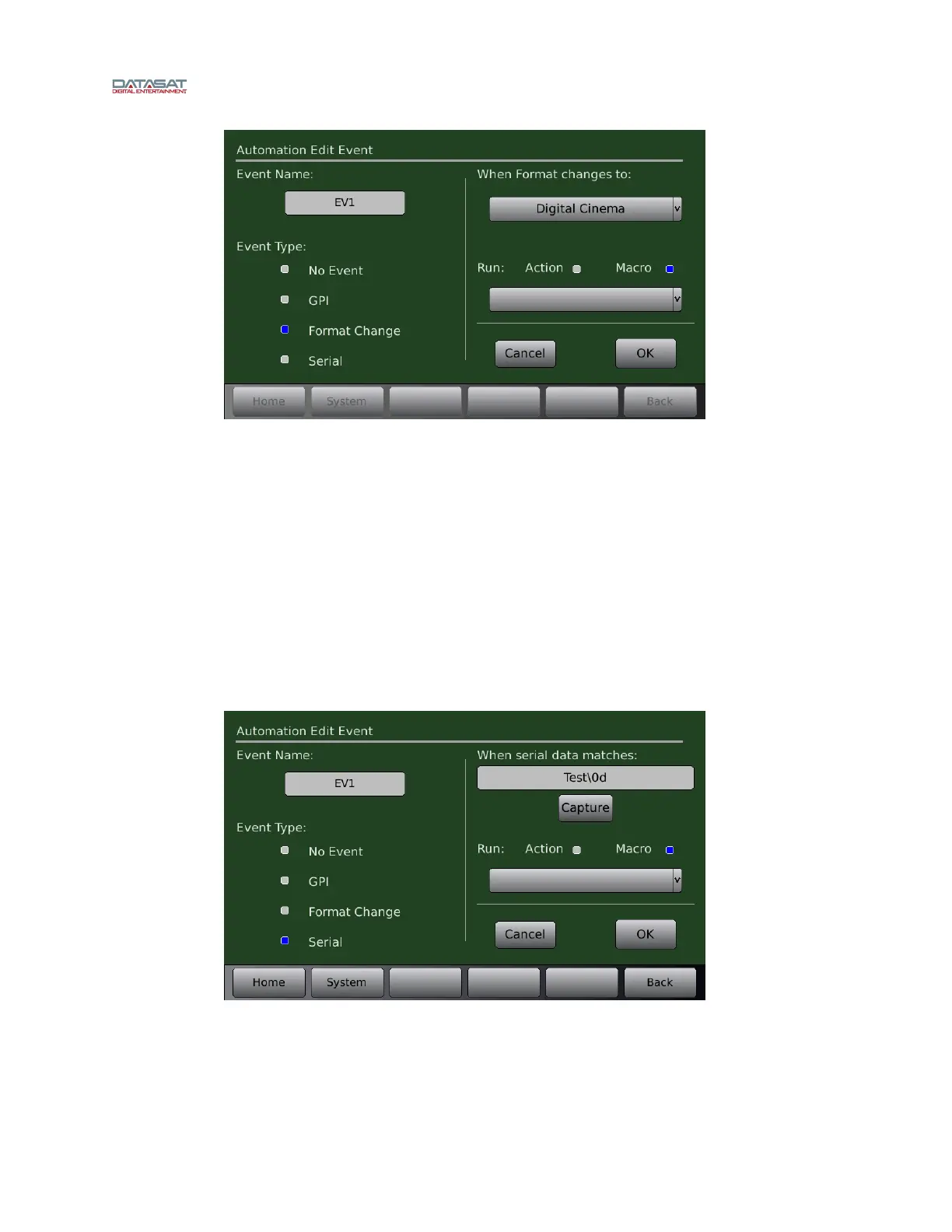
Figure 84. Automation Edit Event screen – Format Change
Serial
The AP25 can be configured to allow an external device to send an RS232 command to the
AP25, which, when receiving the specified serial command, will then execute any
predefined action or macro.
o The baud rate and number of stop bits must be set in the Automation Serial page to
match the settings used by the external RS232 device. See 4.5.5 Automation Serial
Port Setup be
low.
o The RS232 device must be connected to the Control port on the back of the AP25.
In the example below a serial command named “Test<cr>” is created to switch the AP25 to
the Digital Cinema format. In this example the macro named Digital_Cinema already exists
to switch the AP25 to the Digital Cinema format.
Figure 85. Automation Edit Event screen – Serial
Enter the serial command that will trigger the macro. The maximum size of the serial
command is 36 characters.
Digital Cinema
Digital_Cinema



 To Next Page