AP25 Installation and Operating Guide Page 102
AP25 Installation & Operating Guide Document # 9301H79500 Ver. 1.00
Option 1: Select the text box and the keyboard screen will appear. Type in the serial
command.
Option 2: Select the Capture button to automatically capture a command received from
the serial port. This assumes that there is an external serial control device connected
that can be manually triggered to send a single command.
Press the green StopCap button to complete the capture of the serial command. All serial
data that has been received between Capture and Stop Cap will be displayed in the text bar.
If more than the maximum characters have been received, then the data is truncated.
Note: Non-ASCII characters may be entered by a back slash (\) followed by their hex
value. For example, a CR character is 0D hex and can be included in the string as “\0d”.
Touch OK when finished, or touch Cancel to cancel this task.
Fire Alert Event
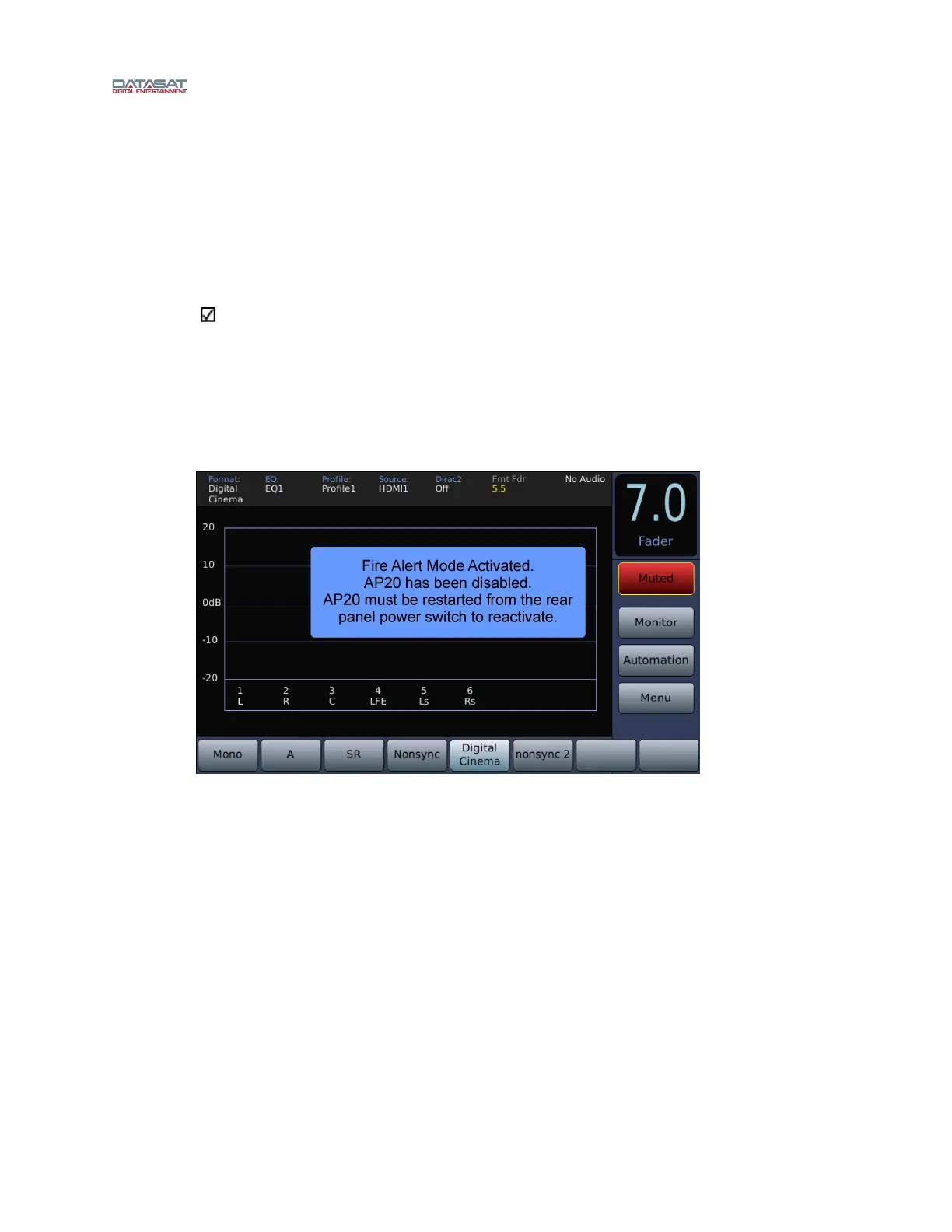
A Fire Alert event will shut down the AP25 audio and display a popup on the home screen
that says “Fire Alert Mode Activated” (as shown below). The AP25 audio and menus are
disabled until the unit is reset from the back power button.
Fire Alert event is activated by an event that sets the variable FIRE to TRUE (In the
Automation Edit Action screen set Action Type = Set Variable, Variable Name = FIRE, and
Set to = TRUE).



 To Next Page