AP25 Installation and Operating Guide Page 73
AP25 Installation & Operating Guide Document # 9301H79500 Ver. 1.00
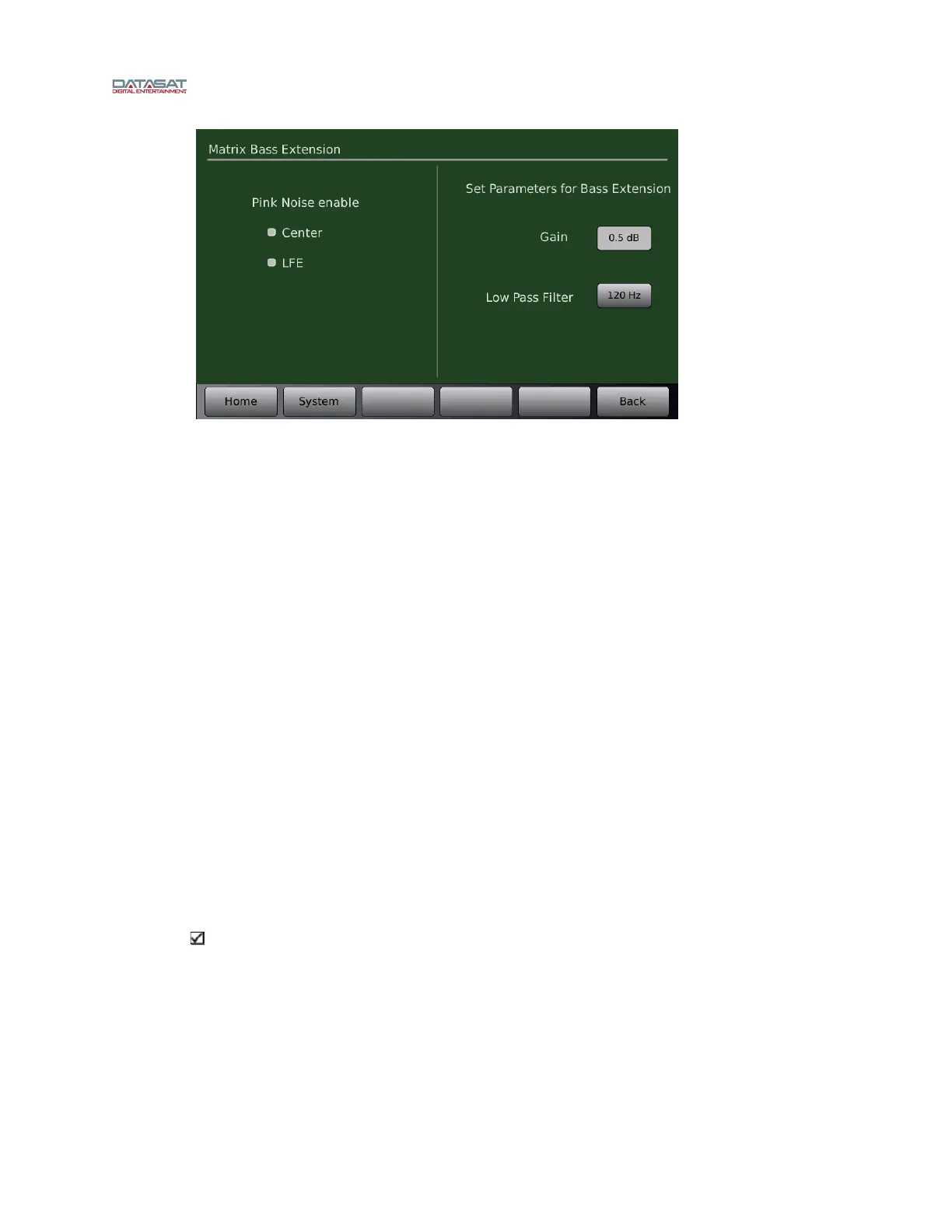
Figure 49. Matrix Bass Extension
The left half of the screen allows you to enable pink noise on Center and/or LFE channels.
The right half of the screen provides settings for the parameters of optical bass gain and low
pass filter frequency
Gain allows you to set the gain for the matrix bass. Select the button and rotate the main
fader to adjust for the desired level. Gain may be adjusted from 10 dB to -20 dB in 0.5 dB
increments.
Low Pass Filter allows you to choose the frequency of the filter. Select the button and
rotate the main fader to adjust the desired frequency. The filter may be adjusted from 50 to
120 Hz in 10 Hz increments.
When adjusting the Matrix Bass Extension, set up a microphone in the auditorium. It is best
to use a single microphone, or if using a multiplexer select single microphone only, and
connect it to the RTA.
Select an optical format on the AP25, enable pink noise on the center channel, and note the
level and low frequency roll off displayed on the RTA. Select the appropriate Low Pass
Filter setting by pressing that button and using the fader knob to make any changes required
to match the low pass filter to the roll off measured.
Next turn on the subwoofer channel, enable pink noise on the LFE channel, then select the
Matrix Bass Gain by pressing the <Gain> button. Use the AP25 fader knob, or up and down
keys when using a laptop, to adjust the Matrix Bass Gain to match the Center channel level
previously noted on the RTA display.
Note: Matrix Bass Extension parameters are global, and if enabled, will affect both
nonsync and optical formats (in cases where the optional H338 optical card is installed).



 To Next Page